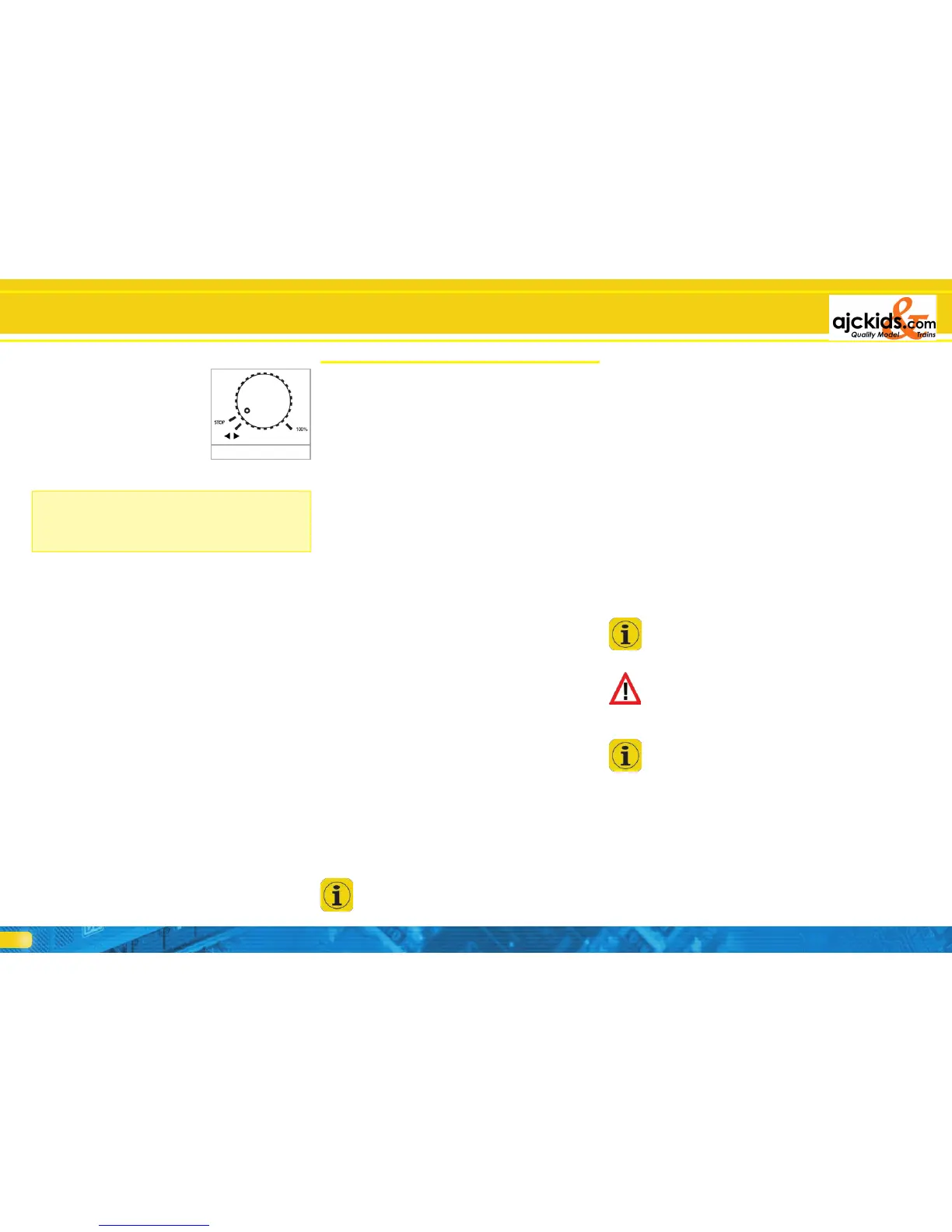
•Turnthethrottletotheleftbeyond
the Zero position until you hear the
click and the direction of travel will
be changed. The throttles are also
motor driven. Whenever you turn
the throttle to the left and thus
change the direction you may sim-
ply release the throttle and it will
automatically return to the Zero
position.
•Youcanturnonoroffthelocomotivefunctionsbypressingthe
appropriate buttons or by touching the screen buttons.
How to continue from here? Please take the time to work
through the following chapters. Please take into account that
it will take some time to get to know the manifold new func-
tions. Be patient and take your time to try out some of the
features. We wish you lots of fun in discovering your “new”
ECoS.
7. Features of the ECoS
ECoS is a state-of-the-art digital command control system and
offers many features. We want to explain the possibilities and
some technical background in greater detail. The detailed ope-
rating instructions are given in chapter 10. If you wish you may
turn to these pages right now if you do not want to know the
technical background at this stage.
7.1. Running locomotives
ECoS can control up to 16,384 locomotives simultaneously.
Of course, this is only a theoretical number that will hardly be
reached in practice. The electrical power required for so many
locomotives would far exceed the maximum number of 128
boosters. The response times for each locomotive would also
be unacceptably long. As a multi-protocol-system ECoS sup-
ports several data formats for running your locomotives.
7.1.1. Data formats
7.1.1.1. Data format Motorola®
Motorola® I („Old“ Motorola®-format)
First generation Märklin® locomotives support this format in
which the status of the lighting function is transmitted besides
14 speed steps. Only when changing direction a special signal
will be sent to the locomotive. However, it is possible that the
direction status of the locomotive and the command station
status for this loco do not correspond initially. In this case you
would have to change direction once more to assure a corres-
ponding status.
Motorola® II (so-called new data format)
Besides the 14 speed steps a signal indicating direction of travel
is transmitted continuously. The info regarding direction always
corresponds between command station and locomotive.
The status of F1 to F4 is transmitted in a separate packet. This
is only generated if the status of at least one function has chan-
ged. Advanced decoders store this information locally to assure
that it corresponds with the command station even in case of
a power interruption.
ECoS does not differentiate between Motorola® old and new
but transmits (by using a special method.) data packets in both
formats.
In ECoS we call this mode „Motorola14“.
Märklin® built an extension into their decoder series 6090x to
provide 27 speed steps: the so-called „half speed step“ bet-
ween the actual speed steps increases the resolution. The com-
mand station must transmit specific command sequences in or-
der to achieve this. ECoS knows this mode as „Motorola27”.
If you run a locomotive in „Motorola27” mode and you notice
that functions are only activated at every second speed step,
then your decoder does not support the 27 speed steps. Please
switch to „Motorola14”.
ESU extended all decoders to suit the Motorola®-format by an
additional mode, namely „Motorola28”. This operates with 28
real speed steps.
If you want to run a loco in “Motorola 28“ format and you noti-
ce that the functions are only working at every second speed
step then your decoder does not support the 28-speed step for-
mat. Run these locomotives with the “Motorola 14” format.
Märklin® released some function models to the market (e.g.
4998, 4999 or 49960, turning crane 7651 or Gauge 1 cars
58115) that have to be controlled with a data package dif-
ferent to the one for the locomotives. In terms of its design
this data package is similar to the ones for turnouts. We call it
“Motorola Fx 14”.
7.1.1.2. Range of addresses - Motorola®
Märklin® defined 80 addresses for its original digital system.
Since this number is far too small for many applications sever-
al decoder suppliers extended the range. ESU LokSound V3.4
M4, LokPilot V3.0 M4 and LokPilot V3.0 support 255 addresses
in the Motorola-format.
7.1.1.3. DCC-Format
The DCC standards published by the North American NMRA
(National Model Railroad Association) is based on a develop-
ment by the German company Lenz Elektronik.
In DCC-format up to 10.239 addresses, up to 21 functions and
up to 128 speed steps are encoded. In practice only 126 speed
steps can be used, the others are reserved for the emergency
stop function. The absolute direction of travel is also encoded.
How many of these addresses, functions and speed steps are
actually available depends on the type of decoder and the
command station. ECoS supports currently all known DCC for-
mats.
We differentiate between 14, 28 and 128 speed steps. In the
latter case 126 speed steps can actually be utilised.
Subject to the mode in which you want to run your DCC lo-
comotive please select „DCC14”, „DCC28” or „DCC128” as
data format.
Please bear in mind, that the information regarding the speed
steps transmitted by ECoS has to correspond with the speed
step setting of the decoder. A data packet for „DCC14” is for
instance identical to one for „DCC128”, but will be „under-
stood” differently by the decoder. If the settings do not corre-
spond then the headlights of the locomotive will blink slowly
while the locomotive is accelerating.
If you are not sure which DCC modes are supported by your
decoder try DCC 28 first. This is the compulsory mode as sta-
ted by the NMRA. All ESU DCC decoders detect the number
of speed step automatically. You may just as well start with
DCC 128.
7.1.1.4. LGB®-Format extensions
LGB® uses the DCC protocol for operating garden railways.
The old Lokmaus® had only one function button „F1” besides
the lighting button. But how could you switch so many func-
tions with just one button?
The „solution” was what became know as the „sequential
function status mode”. The user knew if he for instance wan-
ted to switch function F3, he had to press F1 three times in a
row. The decoder counts the number of status changes and
then switches the desired function. The disadvantage of this
method is that functions with higher numbers (e.g. F8) take
longer to respond, since several „on-off” commands have to
be transmitted.
Features of the ECoS
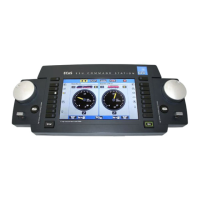
Figure 10


 To Next Page