4
INSTALLATION GUIDE
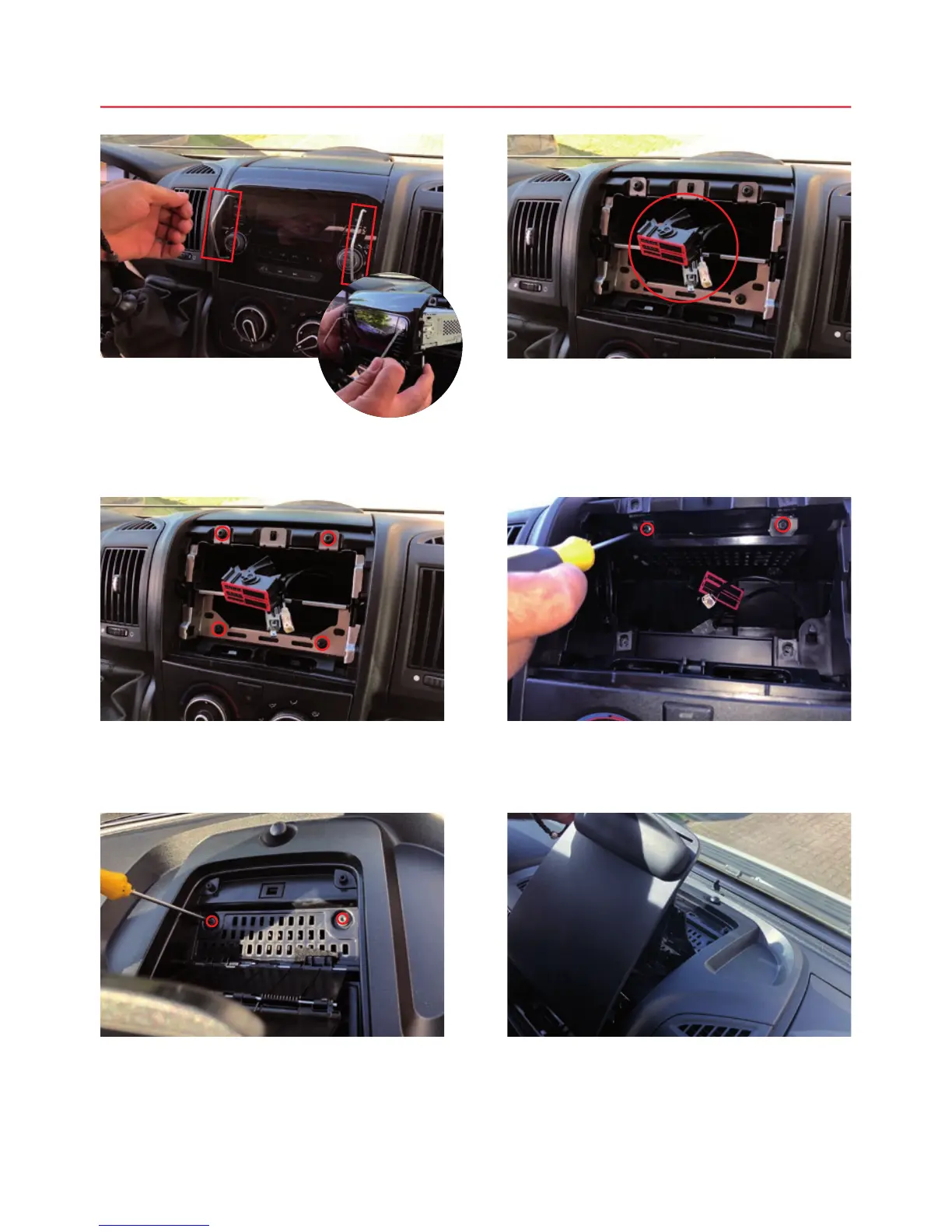
Only with radio ex-factory:
Pull the radio out of the slot
using the release tools.
Only with radio ex-factory:
Loosen the 4 screws.
Open the storage tray and loosen the 2
screws.
Only with radio ex-factory:
Remove the connectors on the back of the radio.
Loosen the 2 screws underneath.
Pull the storage tray upwards.



 To Next Page