• •
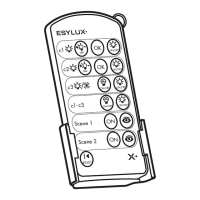
Mobil-PDi/plus
www.esylux.com
GB
GB OPERATING INSTRUCTIONS
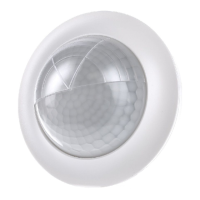
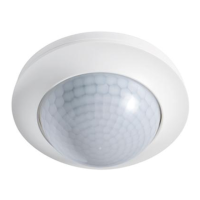
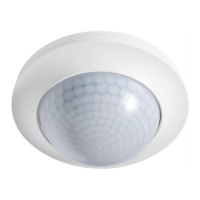
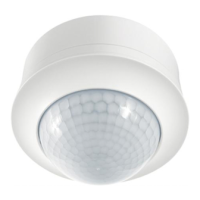
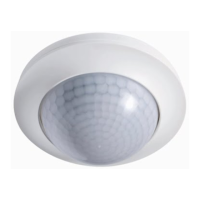
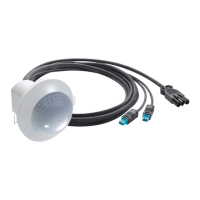
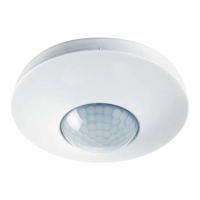
PD-C360i/24 DUOplus
Settings and functions via Mobil-PDi/plus remote control
(Item no. EM10425530)
NOTE: For optimum reception, when programming the settings, point the remote control at the
detector. Please note that if the sun shines directly on the sensor, the standard detection range
of approx. 8 m may be dramatically reduced owing to the sun’s infrared rays.
1. Setting via remote control
The DIP switch 1 on the detector needs to be set as shown in the illustration.
Button Customised setting
Entering programming mode
Blue LED lights up on the detector, indicating “blue mode” (programming mode).
The connected lighting turns on.
Whilst in programming mode, the detector’s movement sensor is disabled.
Channel selection
C1 = lighting (confirmed by blue and red LED flashing alternately)
C2 = lighting (confirmed by blue and green LED flashing alternately)
C3 = HVAC (confirmed by flashing blue LED)
Set the switch-on light value using the eye button for both channels C1 + C2 or select a
fixed light value for channel C1 or C2 individually
Inputting the current ambient light value as switch-on light value: between 5 - 2000 lux
Connected lighting C1 + C2 and the blue LED switch off. Once the input
process has been successfully completed, the lighting turns on and the
blue LED lights up continuously.
Setting a fixed, individual switch-on value for channel C1 or C2:
(channel C1 or C2 must be selected first) 100 lux - daytime operation
Confirmed for C1 by blue and red LED on the detector flashing alternately.
Confirmed for C2 by blue and green LED on the detector flashing alternately.
Determining a common time setting for channel “lighting C1 + C2”:
5 min. to 15 min. or
short pulse: once the detector has been triggered by movement (lighting is
below preset ambient lighting level), the lighting and the red LED will be
switched on for 1 second and then off for 9 seconds.
Confirmed by blue and red LED on the detector flashing alternately.
Determining a time setting for channel “HVAC C3”:
(channel C3 must be selected first) 1 min. to 15 min.
Confirmed by flashing blue LED on the detector.
Setting fully and semiautomatic operation modes – first select channel C1, C2 or C3!
Alternating between “fully automatic” and “semiautomatic” operation modes
Semiautomatic mode = press button, the blue LED will turn off for
approx. 3seconds.
Fully automatic mode = press button, the blue LED will flash for
approx. 3 seconds.
Switching LEDs on/off (red/green LED)
To switch LEDs off = press button, the blue LED will turn off for
approx. 3 seconds.
To switch LEDs on = press button, the blue LED will flash for
approx. 3 seconds.
Reinstating factory settings
Confirmed by blue and red LED on the detector flashing alternately.
Exiting programming mode
Blue LED goes out; settings are now saved.
The detector will now operate automatically according to the preset values.
NOTE: If the programming mode is not exited by pressing the button,
the detector automatically exits the programming mode 10 minutes
after the last button was pressed.
Additional functions via Mobil-PDi/plus remote control
Checking the range/detection using test mode
Connected lighting turns on – for clear inspection/pacing out of a detector’s
field of detection. Real-time, load-free indication of movement given by
2 flashes of the blue LED.
NOTE: Exit test mode by pressing the “TEST” or “RESET” button.
Switching channel “lighting C1 or C2” or “HVAC C3” on/off manually (replaces button) –
first select the channel!
C1 = lighting (confirmed by flashing red LED)
C2 = lighting (confirmed by flashing green LED)
C3 = HVAC (confirmed by flashing blue LED)
Interrupting the “TEST”, “light ON/OFF” functions
The detector switches back to the corresponding set operating mode.
GB00004MAN
ESYLUX GmbH
Postfach 1834, 22908 Ahrensburg/Germany
Internet: www.esylux.com
e-mail: info@esylux.com
ALK 10/2009



 To Previous Page
 Loading...