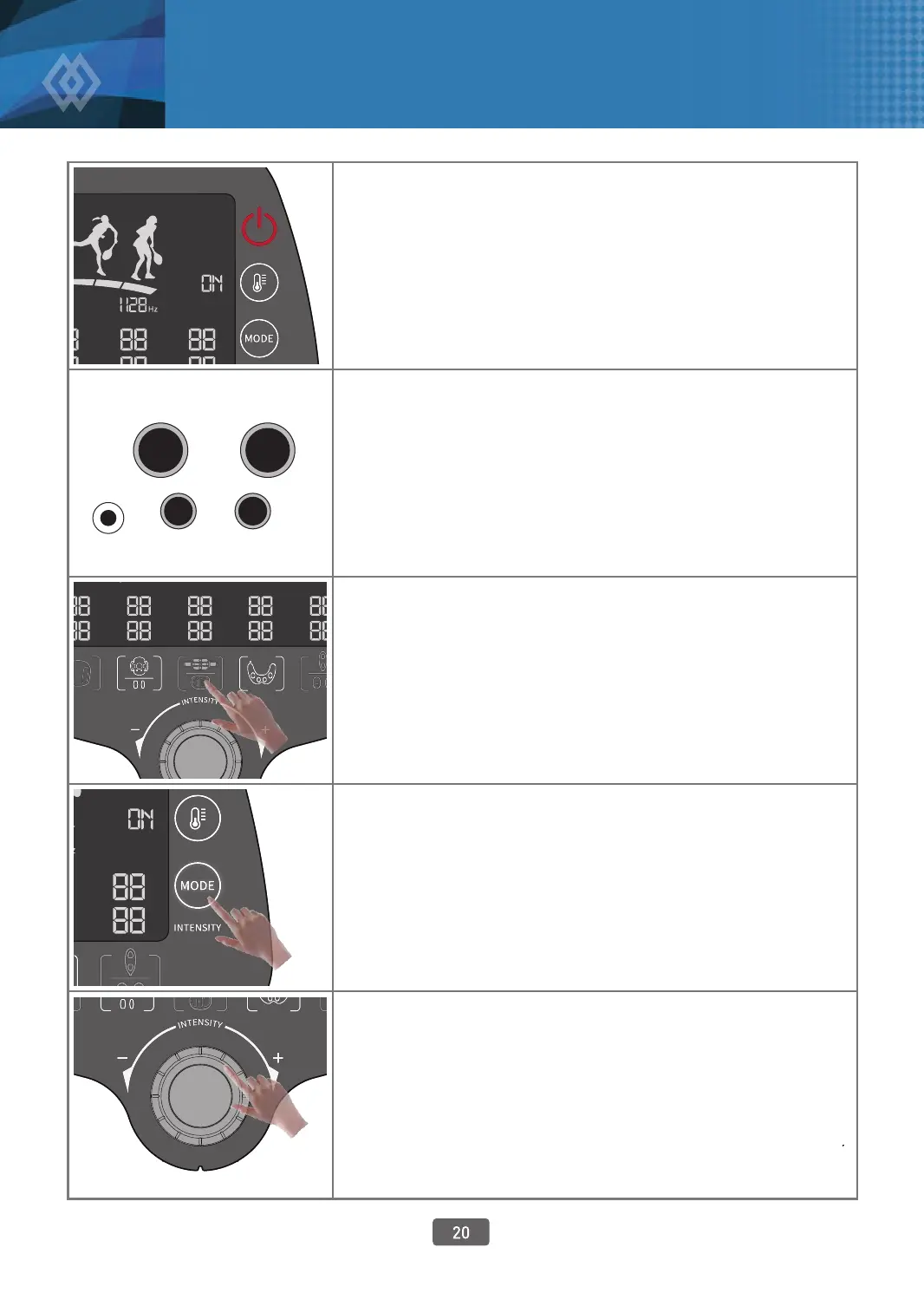
How to Use Each Function
1. Power On
T ouch the power button slightly and then the display button
lights up and it checks for any abnormalities. If the connected
pad type and available function button are light up, it is
normal. If no pad is connected, the light on the button does
not come on and the thermal button displays “ON” and it
changes to “OFF” by touching the button.
2.
C
onnect the Pad
to be Used
Open the pad connector door under the main body and
connect the pad to be used to the connector.
The foot pad is always connected.
The pads pairs that cannot be used at the same time are the
abdomen pad and Kegel pad, the knee pad and thigh pad,
and the vertical and multipurpose pad.
3.
S
elect the Pad to be Used
Touch the pad button that you will use now among the
connected pads, and then numbers icker on the mode and
intensity display.
4.
Select Mode
As the numbers change whenever you touch the mode
button, you can touch it till the number you want appears.
As the available modes dier by pad, you should select the
set and displayed mode or the mode you want.
The mode selection button ickers for 5 sec.
If you change the mode during use, you have to adjust the
intensity again.
5.
A
djust Intensity
After selecting the mode, you can adjust intensity in the range
of 16 stages by turning the dial till you feel comfortable. The
numbers 0 - 16 are indicated on the display window by pad.
The ultrasonic waves used in the foot pad and knee pad are
automatically adjusted. Therefore, you do not need to adjust
intensity.
5. How to Use



 To Next Page