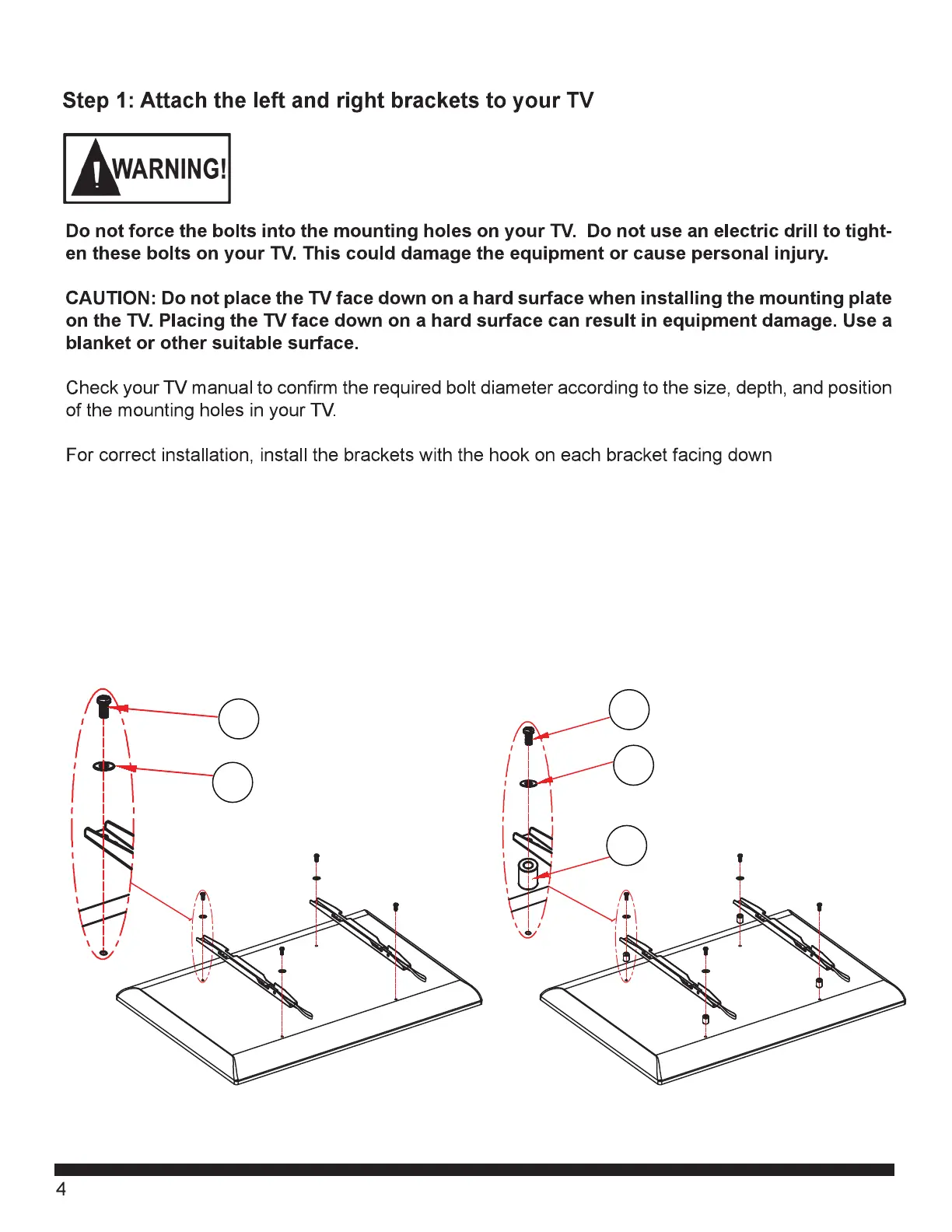
Fig. 1A
Center the Brackets (2) vertically on the rear of the TV. Attach the Brackets (2) to the rear of the TV
using four of the bolts (D-L) with the proper size washers (Q-S) as shown in Fig. 1a.
Do not over tighten.
If the back of the TV is not flat, or if the bolts are too long, it may be necessary to use Spacers (M-P)
as shown in the Fig. 1B. Multiple Spacers can be used with each bolt to reach the proper length.
Fig. 1B
Q-S
D-G
Q-S
H-L
M-P


 To Next Page