EasyManua.ls Logo

ETEKCITY EM-SF3 - User Manual

ETEKCITY EM-SF3
26 pages
Print Icon
To Next Page IconTo Next Page
Loading...
1
Questions or Concerns? support@etekcity.com • (855) 686-3835
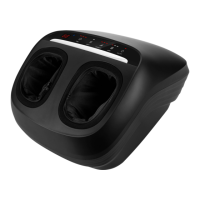
Smart Shiatsu Foot
Massager
Model: EM-SF3
User Manual

Questions and Answers

  • G
    gutierrezsusanAug 4, 2025
    What to do if my ETEKCITY EM-SF3 won’t turn on?
    • T
      Timothy HortonAug 4, 2025
      If your ETEKCITY Massager won't turn on, ensure it is properly plugged into a power source. If it is, try unplugging the AC power adapter from the massager and then plugging it back in to see if that resolves the issue.
  • J
    Jill MoraAug 10, 2025
    What to do if my ETEKCITY EM-SF3 is making unusual noises, emitting strange smell or smoke?
    • S
      Sherri WarrenAug 10, 2025
      If your ETEKCITY Massager is making unusual noises, emitting a strange smell, or if smoke is coming from it, immediately turn off the massager and stop using it.
  • C
    Charles WilliamsAug 16, 2025
    What to do if the massage functions stopped working on my ETEKCITY EM-SF3?
    • T
      Terri MarshallAug 16, 2025
      If the massage functions on your ETEKCITY Massager have stopped working, it's possible that the overheat protection has been activated due to prolonged use. Turn the massager off and allow it to cool down for at least 40 minutes before using it again.
  • G
    George TurnerAug 21, 2025
    What to do if my ETEKCITY Massager won’t connect to my phone?
    • B
      brad46Aug 21, 2025
      If your ETEKCITY Massager won’t connect to your phone, check the following: * Make sure your phone has Bluetooth turned on and is within 32 ft / 9.75 m of the massager. * Ensure the massager isn’t connected to any other phones, as Bluetooth devices can only connect to 1 phone at a time.
  • J
    Joshua SmithAug 27, 2025
    What to do if an unknown error occurred with my ETEKCITY EM-SF3 Massager?
    • M
      Melvin ReyesAug 27, 2025
      If an unknown error occurs with your ETEKCITY Massager, try turning it off and then back on again. If the problem persists, unplug the AC power adapter from the massager and then plug it back in.

Summary

Specifications

Important Safety Information

Using the Massager

VeSync App Setup

VeSync App Configuration

VeSync App Configuration Steps

VeSync App Connection Process

App Operation

App Controls and Functions

Favorite Settings

Massager Settings

Maintenance

Troubleshooting

Warranty Information

Customer Support

ETEKCITY EM-SF3 Specifications

General IconGeneral
BrandETEKCITY
ModelEM-SF3
CategoryMassager
LanguageEnglish

Related product manuals