Need help?
Do you have a question about the Eternico AET-KSB3002USS and is the answer not in the manual?
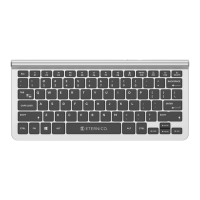
This document is a user manual for the Eternico AET-KSB3002USS Wireless Keyboard.
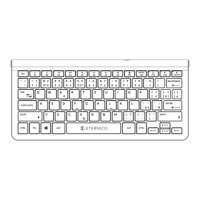
The Eternico AET-KSB3002USS is a wireless keyboard designed for office use. It offers flexible connectivity options, allowing users to connect to devices via USB, Bluetooth 1, or Bluetooth 2. This multi-device capability means the keyboard can be paired with up to three different devices simultaneously, and users can switch between them using dedicated mode selection keys. The keyboard features a full-size layout, including a numeric keypad, and incorporates 12 multimedia keys for enhanced functionality. These multimedia keys provide quick access to various functions such as screen brightness control, window management, browser navigation, homepage access, search, media playback (previous track, play/pause, next track), volume control (mute, lower, increase), and keyboard lock. The Fn key is used to activate these multimedia functions, effectively allowing them to replace the standard F1-F12 function keys when pressed in combination.
Turning the Keyboard On/Off: The keyboard is turned on by moving the power switch, located at the bottom of the device, to the "ON" position. To turn it off after use, the switch should be moved to the "OFF" position.
Inserting the Battery: The keyboard requires two AAA batteries, which are inserted into the battery compartment. A low battery indicator light will flash when the batteries need to be replaced.
Connecting the Keyboard: The keyboard offers three connection modes:
Mode Selection: If the keyboard is connected to multiple devices, users can select the desired mode (USB, Bluetooth 1, or Bluetooth 2) by pressing Fn+ (for USB), Fn+1 (for Bluetooth 1), or Fn+2 (for Bluetooth 2). The corresponding indicator light will illuminate to confirm the selected mode.
Multimedia Key Functions: The keyboard includes 12 multimedia keys, accessible by pressing the Fn key in combination with the F1-F12 keys. These functions include:
Cleaning: To maintain the keyboard, it should be kept clean using only cleaning products specifically designed for electronics and accessories. It is crucial not to wash the keyboard in water or any other liquid. Harsh cleaning products, gasoline, solvents, or chemicals should also be avoided.
Safety Information:
Disposal of Used Batteries: Batteries contain environmentally harmful materials and should not be disposed of with regular household waste. Used batteries must be properly disposed of at designated collection points.
Environmental Protection: Eternico emphasizes environmental consciousness by using eco-friendly packaging. The packaging is made from 100% recyclable paper, printed with soy-based ink (instead of petroleum-based ink), and uses water-soluble adhesives where necessary. The product complies with Directive 2014/53/EU and Directive 2011/65/EU (RoHS). The WEEE symbol indicates that the product should not be treated as household waste, encouraging proper disposal to protect the environment. The product is intended for indoor use only.


 To Next Page
 General