EasyManua.ls Logo

Eternico AET-KSB3003USS - User Manual

Eternico AET-KSB3003USS
44 pages
Print Icon
To Next Page IconTo Next Page
Loading...
Wireless Keyboard
AET-KSB3003USS
User Manual
Question and Answer IconNeed help?

Do you have a question about the Eternico AET-KSB3003USS and is the answer not in the manual?

Overview

This document describes the Eternico Wireless Keyboard (model AET-KSB3003USS).

Function Description

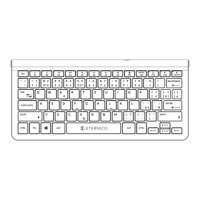
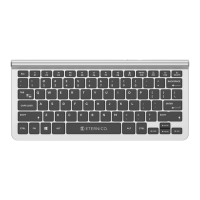
The Eternico Wireless Keyboard is a versatile input device designed for office use, offering both USB and Bluetooth connectivity. It can be connected to up to three different devices simultaneously, allowing users to switch between them as needed. The keyboard features a standard QWERTY layout with additional multimedia keys for enhanced functionality.

The keyboard includes a set of function keys (F1-F12) that, when pressed in combination with the Fn key, activate multimedia controls. These multimedia functions include:

  • Fn + F1: Reduce screen brightness
  • Fn + F2: Increase screen brightness
  • Fn + F3: Previous track
  • Fn + F4: Play/Pause
  • Fn + F5: Next track
  • Fn + F6: Mute
  • Fn + F7: Lower the volume
  • Fn + F8: Increase the volume
  • Fn + F9: Keyboard lock
  • Fn + F10 (PRTSC): Screenshot
  • Fn + F11: USB mode selection
  • Fn + F12 (1): Bluetooth mode 1 selection
  • Fn + DEL (2): Bluetooth mode 2 selection

The keyboard also features operational indicator lights to show the selected connection mode (USB, Bluetooth 1, or Bluetooth 2) and a low battery warning.

Important Technical Specifications

  • Connection: USB/Bluetooth (supports Bluetooth 1 and Bluetooth 2)
  • Charging/Power: 2x AAA battery
  • Designated Use: Office use
  • Dimensions: 296 × 134 × 14 mm (including keys)
  • Multimedia Keys: Yes, 12
  • Number of Keys that can be Pressed Simultaneously (Anti-Ghosting): 6
  • Compatibility with Operating Systems: Windows 7, 8, 10 or later

Usage Features

Turning the Keyboard On/Off: The keyboard has a power switch located at the bottom. To turn it on, slide the switch to the "ON" position. To turn it off when not in use, slide the switch to the "OFF" position.

Inserting the Battery: The keyboard requires 2x AAA batteries. These should be inserted into the battery compartment. A low battery indicator light will flash when the batteries need to be replaced.

Connecting the Keyboard: The keyboard offers flexible connectivity options:

  • USB Connection: To connect via USB, remove the USB receiver from its storage slot at the bottom of the keyboard and insert it into a USB-A port on your computer. The system will automatically install the necessary drivers, and the keyboard will be ready for use.
  • Bluetooth Connection: The keyboard supports two Bluetooth connections. To initiate a Bluetooth connection, long-press either the Fn+F12 (for Bluetooth 1) or Fn+DEL (for Bluetooth 2) keys until the corresponding Bluetooth connection key flashes. Then, on your computer, search for new Bluetooth devices. Select the keyboard from the list to pair it. Once successfully paired, the flashing Bluetooth connection key will stop.

Mode Selection: If the keyboard is connected to multiple devices (via USB, Bluetooth 1, and/or Bluetooth 2), you can switch between them by selecting the appropriate mode. The corresponding indicator light will illuminate to show the active mode:

  1. Press Fn+F11 to select USB mode.
  2. Press Fn+F12 to select Bluetooth mode 1.
  3. Press Fn+DEL to select Bluetooth mode 2.

Maintenance Features

Cleaning: It is important to keep the keyboard clean. Use only cleaning products specifically designed for electronics and accessories of this type.

Warning:

  • Never wash the keyboard with water or any other liquid.
  • Do not use harsh cleaning products, gasoline, solvents, or other chemicals for cleaning.

Safety Information:

  • Use the keyboard strictly according to the instructions in this manual.
  • Keep the keyboard out of reach of children.
  • Avoid placing heavy objects on the keyboard.
  • Do not disassemble the keyboard, as it contains no user-serviceable parts. All repairs should be carried out by an authorized service center.
  • Protect the keyboard from moisture, dust, falls, and shocks.
  • Do not expose the keyboard to dripping or splashing water, and do not immerse it in water or any other liquid. Do not place containers filled with water (e.g., vases) on the keyboard.
  • Keep the keyboard away from open flames or other heat sources like candles or heaters.
  • If you notice unusual overheating or other signs of malfunction, stop using the keyboard and contact an authorized service center.
  • Ensure the keyboard inputs are free of foreign objects.
  • Do not force the USB connector into the input port.

Disposal of Used Batteries: Batteries contain environmentally harmful materials and should not be disposed of with regular household waste. Dispose of used batteries properly at designated collection points.

Environmental Protection: Eternico emphasizes eco-friendly practices. The packaging is made from 100% recyclable paper and uses soy-based ink. The use of adhesives is limited, and water-soluble ones are chosen when necessary. The product complies with Directive 2014/53/EU and Directive 2011/65/EU (RoHS) regarding hazardous substances in electrical and electronic equipment. The WEEE symbol indicates that the product should not be treated as household waste and should be disposed of correctly to protect the environment. The "For indoor use only" symbol signifies that the product is not intended for outdoor use.
Eternico AET-KSB3003USS Specifications

General IconGeneral
BrandEternico
ModelAET-KSB3003USS
CategoryKeyboard
LanguageEnglish