Need help?
Do you have a question about the EtherWAN EX17162 and is the answer not in the manual?
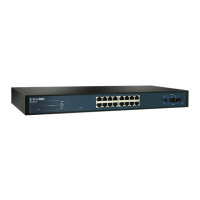
Provides sixteen 10/100 Mbps RJ-45 ports with IEEE802.3at PoE, up to 30 Watts per port.
Features two 1 Gbps combo/SFP interfaces as RJ-45 and SFP ports, operating in 'either/or' mode.
The EtherWAN EX17162 is a Web-Smart Switch designed for network connectivity and power delivery. It facilitates the connection of various network devices and offers management capabilities through a web-based interface.
The primary function of the EX17162 is to act as a central hub for network traffic, allowing multiple devices to communicate with each other and with the broader network. It supports both standard Ethernet connections and Power over Ethernet (PoE), which enables it to deliver electrical power along with data to compatible devices over a single Ethernet cable. This feature is particularly useful for powering devices like IP surveillance cameras or Voice over Internet Protocol (VoIP) phones, simplifying installation by eliminating the need for separate power outlets for each device.
The switch is equipped with sixteen 10/100 Mbps RJ-45 ports, all of which are PoE-enabled. These ports comply with the IEEE802.3at standard, capable of supplying up to 30 Watts per port. This makes it suitable for a wide range of PoE-powered devices. Additionally, the switch includes two 1 Gbps combo/SFP ports. These combo ports offer flexibility, allowing connections via either RJ-45 Ethernet cables or Small Form-Factor Pluggable (SFP) modules. SFP modules are typically used for fiber optic connections, extending network reach or connecting to different types of network infrastructure. The "combo" nature means that if one of these ports is used with an RJ-45 cable, its corresponding SFP slot becomes unavailable, and vice-versa. This "either/or" operation ensures efficient use of the available interfaces. These 1 Gbps ports are ideal for connecting higher-bandwidth devices such as network video recorders (NVRs), network storage devices, or for uplink connections to other network switches or routers.
The "Web-Smart" designation indicates that the switch can be managed and configured through a web browser interface. This allows administrators to adjust network settings, monitor port status, and implement various network management features without requiring specialized command-line knowledge. This user-friendly interface makes it accessible for users with varying levels of networking expertise.
Setting up the EX17162 involves a straightforward process. Upon unpacking, users should ensure all components, including the switch, external power adapter, rack-mounting hardware, and user guide CD, are present. For physical placement, the switch can be mounted on a flat desktop or shelf surface, or installed in a standard 19-inch EIA equipment rack. When selecting a location, it's crucial to ensure adequate airflow, keep the device away from heat sources and direct sunlight, and maintain a distance of at least 6 feet from sources of electromagnetic noise like photocopy machines. The operating environment should be dry, with ambient temperatures between 0 and 40°C (32 and 104°F), and the fans should not be obstructed.
Connecting devices to the switch is simple. For the 10/100 Mbps PoE ports, Category 5 or better Ethernet cables are used to connect PoE-compatible devices. For the 1 Gbps combo/SFP ports, Category 5 or better Ethernet cables are used for RJ-45 connections, while SFP modules are inserted into the SFP slots for fiber optic links. When handling SFP modules, it's recommended to wear an ESD-preventive wrist strap to prevent electrostatic discharge damage.
Applying AC power to the switch initiates a Power On Self-Test (POST). During this process, all green PoE, Link/ACT, and 1000M LEDs will blink momentarily, the fans will start, and the yellow Power LED will illuminate. The Link/ACT and 100M LEDs for connected ports will flash as the POST completes.
Configuration of the switch is performed via a web browser. After connecting a PC to any 10/100 Mbps RJ-45 switch port using a Category 5 or better Ethernet cable and confirming the Link/ACT LED is on, the PC's TCP/IP settings should be configured to use the subnet 192.168.2.2. Users then access the switch's web interface by typing "http://192.168.2.1" into their browser. The default login credentials are "admin" for both username and password (case-sensitive).
Once logged in, users can configure the switch's IP settings. If the network uses a DHCP server, the switch can be set to obtain an IP address automatically. Alternatively, for static IP configurations, users can manually enter the IP Address, Subnet Mask, and Gateway settings. The web interface also allows for the configuration of authentication settings, enabling users to change the default username and password for enhanced security. This is a critical step to prevent unauthorized access to the switch's management interface. The system supports usernames and passwords consisting of a-z, A-Z, 0-9, underscore, plus, minus, and equals signs, and they are case-sensitive.
The front panel LEDs provide visual feedback on the switch's operational status. The yellow Power LED indicates whether the switch is receiving power. Green PoE LEDs indicate if a Power Device (PD) is connected to a specific port. Green Link/ACT LEDs show if there is a valid network connection and flash to indicate data transmission. Green 1000M LEDs indicate the speed of the connection, with ON signifying 1000 Mbps, OFF signifying 10 Mbps, and flashing indicating 100 Mbps. These LEDs are essential for quick troubleshooting and monitoring of network activity.
While the manual primarily focuses on installation and initial configuration, several aspects contribute to the maintainability and longevity of the EX17162 switch. The web-smart management interface itself is a key maintenance feature, allowing administrators to remotely monitor the switch's health, port status, and network traffic. This remote access facilitates proactive maintenance and troubleshooting without requiring physical presence at the device's location.
The ability to update the switch's firmware through the web interface (though not explicitly detailed in the provided excerpt, it's a standard feature of web-smart switches) is crucial for applying security patches, bug fixes, and new features, ensuring the switch remains secure and performs optimally over time.
Proper environmental considerations, such as ensuring adequate airflow and maintaining appropriate temperature, are fundamental to the switch's long-term reliability. Preventing overheating by not covering the fans and keeping the device away from heat sources directly contributes to extending its operational lifespan. Similarly, protecting the switch from electromagnetic interference by placing it away from noisy equipment helps maintain stable network performance and prevents potential hardware issues.
The use of standard Category 5 or better Ethernet cables and SFP modules simplifies component replacement and ensures compatibility with widely available networking equipment. The modular nature of SFP ports allows for easy upgrades or changes in connectivity types (e.g., from copper to fiber) without replacing the entire switch.
The clear LED indicators on the front panel serve as a primary diagnostic tool. By observing the Power, PoE, Link/ACT, and 1000M LEDs, administrators can quickly identify issues such as power failures, disconnected PoE devices, lack of network link, or incorrect link speeds. This immediate visual feedback aids in rapid problem identification and resolution, minimizing network downtime.
Regularly reviewing and updating the switch's authentication credentials (username and password) through the web interface is a vital security maintenance practice. This helps protect the switch from unauthorized configuration changes and potential network vulnerabilities.
In summary, the EtherWAN EX17162 Web-Smart Switch is designed for reliable network connectivity and PoE delivery, featuring a user-friendly web interface for configuration and monitoring. Its robust design, clear indicators, and remote management capabilities contribute to its ease of use and maintainability in various network environments.
 General
| Type | Managed |
|---|---|
| Product Type | Industrial Ethernet Switch |
| Layer | Layer 2 |
| MAC Address Table | 8K |
| Jumbo Frame | Up to 9K bytes |
| Power Input | 46~57 VDC Redundant Dual Input |
| Humidity | 5% to 95% (Non-condensing) |
| Operating Temperature | -40°C to 75°C |
| Storage Temperature | -40°C to 85°C |
| Mounting | DIN-rail or wall mounting |
| Ports | 16 x 10/100Base-T(X), 2 x 100/1000Base-X SFP |

 To Next Page