KL8800A User Manual
5. At the initial stage of each filter cycle, all other loads will run for 15 seconds to purify the
pipeline. Ozone will start to work after 15 seconds.
In order to prolong the lifetime of anti-virus system, ozone will work for 15 minutes and then
idle for 15 minutes, and that cycle repeats.
When any surfing pump (or high speed pump) and blower is turned on, ozone will stop working.
Ⅵ). Valid when A4=OFF: The temperature fine tuning (This function is only effective
for ℉ temperature display)
Press and hold “ ” key to enter setting mode, and continuously press “ ” key to
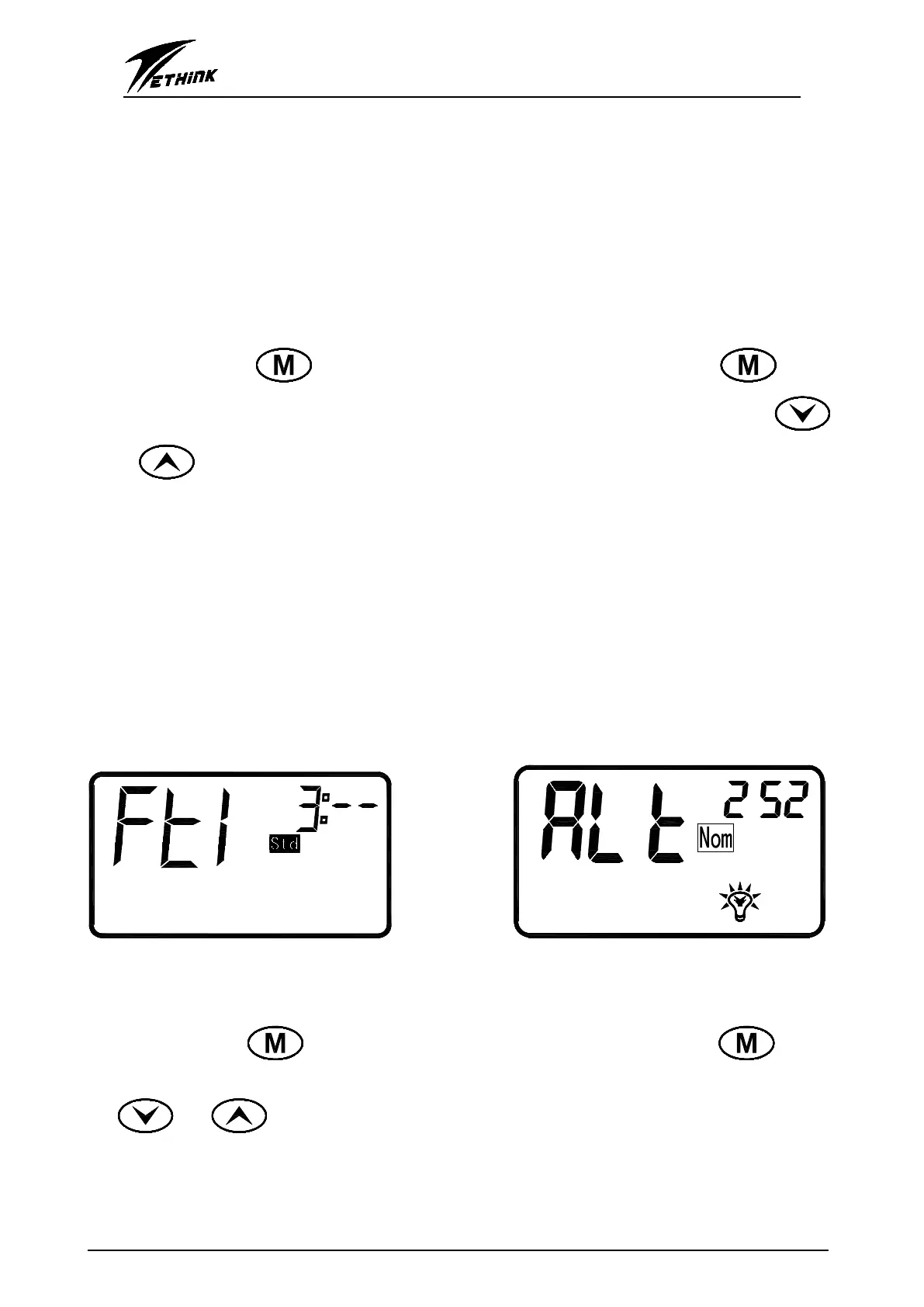
go into temperature fine tuning mode(Fig. 9). At this moment, the user could click on “ ”
or “ ” to change the temperature in small range, the ADJ(adjusting) range is -3~-7 .℉
When ADJ=-3℉ and the desired setting temperature is Tset=90 , ℉ then the heater will turn
off after the water temperature reach to 91℉, and the heater will automatically start to heat
the water when the real temperature reach to 87 ℉(90℉-3℉=87℉).
In the same way, when ADJ=-7℉ and the desired setting temperature is Tset=90 , ℉ then the
heater will turn off after the water temperature reach to 91℉, and the heater will automatically
start to heat the water when the real temperature reach to 83 ℉(90℉-7℉=83℉).
***Note***
When the temperature displayed in Celsius( ), the temperature control range is℃ ±1 .℃ This
means that if the setting temperature is Tset=30 , when the temperature reach to 31 ,℃ ℃ then
the heater will turn off. When the temperature drop to 29 , the heater will automatically start to ℃
work again.
Fig. 9:The last time for filter cycle is 3hrs Fig. 10:Light brightness adjustment
)Ⅶ . Valid when A4=OFF: The light brightness adjustment
Press and hold “ ” key to enter setting mode, and continuously press “ ” key to
go into light brightness adjustment mode(Fig. 10). At this moment, the user could click on
“ ” or “ ” to change the light brightness , the adjustment range is 3~252.


 To Next Page
 Loading...