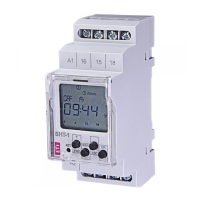
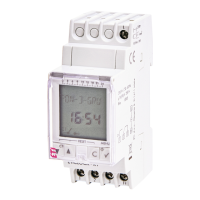
PROGRAMS. Is the menu where the different manoeuvres are programmed. There are 40
memory spaces (from PROG_01 to PROG_40).
▪ ENTER: We enter pressing 3. Once we have accessed, we are informed about the
program we are in P-01 ---- to P-40, we have the following options:
- EDIT (if it is already programmed) “P01: EDIT” is shown on screen, validating with 3
appears on screen.
- TYPE: With keys ▼ and ▲we choose the type of action: ON, OFF. We validate with 3.
- CHANNEL. We choose the channels to be programmed, C1 and/or C2.
- MANOEUVRE. We choose the type of manoeuvre:
▪ FIXED: Performs the manoeuvre at a fixed selected time.
▪ SUNSET: Performs the sunset manoeuvre. The sunset time can be corrected.
▪ SUNRISE: Performs the sunrise manoeuvre. The sunrise time can be corrected.
▪ REDUC. START: Performs the manoeuvre at a fixed selected time with priority over
the sunset time.
▪ REDUC. END: Performs the manoeuvre at a fixed selected time as long as it is
before sunrise, since the sunrise time has priority.
Next, we choose the manoeuvre’s hour, minute and combination of days of the
week.
HOLIDAY PERIODS program
If when validating the last day of the week with the 3 key we keep it pressed we select
this manoeuvre as holiday, the word HOLIDAYS appears on screen and with keys ▼
and ▲we select one of the 4 holiday periods.
- DELETE. When validating with 3 the selected program is deleted. Since all programs
are stored in a consecutive order, deleting a program may mean changing each
program’s assigned number.
▪ DELETE. Allows the deletion of all the manoeuvres of the 40 programs in only one step.
We choose to perform program of switched on at sunset
It already comes with ON at Sunset factory programming.
SETTINGS. The menu where the device is configured.
▪ CLOCK. Sets the time of the device. The variables to configure are (in this order): Year,
month, day, and minute. The day of the week is calculated automatically.
▪ LANGUAGE. The menu where the language of the device is chosen.
▪ ADVANCED. The menu where most of the device’s configuration can be done.
- BRIGHTNESS. Menu in which we can select the brightness of the display. MINIMUM,
LOW, MEDIUM, HIGH, or MAXIMUM. The brightness on screen will be adjusted if we
validate the visualised level.
- PERMANENT. The menu through which we can set a permanent operation (On / Off)
of channel C1 and channel C2. With keys ▼ and ▲we move through the different
options: C1: YES → C1: NO → C2: YES → C2: NO. We validate with 3 our desired
option. The device will not take notice of the manoeuvre programming for the selected
channel if we choose the YES OPTION.
- HOLIDAYS. It has 4 PERIODS that can be programmed, to perform the manoeuvres
selected in the programming of HOLIDAY PERIODS. If no manoeuvre is programmed
in a period, during said period the channels will remain OFF. PERIOD 1 …4
▪ EDIT. The month, day, hour and minute of the beginning of the period and the
month, day, hour and minute of the end of the period are programmed. This period
will be repeated year after year.
▪ DELETE. The selected period is deleted.
- COUNTERS. Menu in which the switch-on time of each circuit is indicated (in hours).
Accessing the counter of each channel with 3 it can be set to zero. Select DELETE YES
and validate.
- SEASON. Allows to adjust the time change from daylight saving to standard time and
vice versa.
▪ ACTIVE. Automatically makes the time change from daylight saving to standard time
or vice versa, in accordance with each country’s legislation. (EU the last Sunday of
March and the last Sunday of October)
▪ INACTIVE. Does not make the time change.
- PIN CODE. Menu to activate or disable the keyboard lock to prevent unwanted access
to the device settings.
▪ INACTIVE. Keyboard lock disabled.
▪ ACTIVE. Keyboard lock activated. And we are required to program a four-figure PIN
CODE. This protection will be activated 30 seconds after we come out of the
settings and return to the display in standby mode. From that moment on when any
key is pressed the message “PIN CODE” will appear on screen. To unblock the
access to the device, we will need to enter the PIN CODE programmed in its
activation. The device will be unblocked for 10 seconds. During this time we will be
able to access the settings menu by pressing 3. Or any other manipulation. After 30
seconds without manipulating the device it will get locked again.
- 12H – 24H. With keys ▼ and ▲ we select the mode in which we wish to visualise the
time. We validate the selection with 3.
- VERSION. Menu where the device’s software version is shown.
If simultaneous manoeuvres are programmed we have to take into account that some have
priority over the others. The priority order is as follows:
PERMANENT MODE → MANUAL → PROG_01 → PROG_02 → …. → PROG_40
RESET. SET TO ZERO.
Starting on standby mode (main screen), press the C key and keeping it pressed press keys
▼ and ▲ simultaneously for more than 3 seconds, the display turns off, all programming is
deleted. The 4 factory pre-established programs will remain in the memory. The device must
be powered.
We can also perform a quick deletion that does not affect the programming by pressing the
four keys simultaneously. The device must be powered.
BATTERY CHANGE. FIG. 3
The device has a power-reserve of 4 years, by means of a replaceable CR2032 lithium
battery. Battery replacement is made by removing the battery holder placed on the front
of the device through a flat-head screwdriver. Observe the battery polarity as marked on
the battery holder.
When the battery is dead and the device is powered the battery symbol appears on
screen.
NOTE: When changing the battery the device’s programming is not lost, and neither is
the current time.
TURN OFF THE POWER SUPPLY TO REPLACE THE BATTERY
TECHNICAL FEATURES
Rated voltage As indicated in the device
Tolerance ± 10%
Breaking capacity: µ 2x16 (10) A / 250 V~
Maximum recommended loads (N.A): FIG. 2
Own consumption Maximum 16 VA (1,3 W)
Contact AgSnO
2
switched.
Display screen Of back-lit liquid crystal
Running accuracy ± 1 s / day at 23 ºC
Accuracy variation with temperature ± 0.15 s / ºC / 24 h
Power reserve 10 years (without connection to mains)
48 h (without battery and without connection to mains)
Type of action 1S, 1T, 1U
Software class and structure Class A
Memory spaces 40
No. of channels 2
Types of manoeuvres SUNRISE, SUNSET, FIXED TIME: ON/OFF,
REDUC.
Astronomical adjustment Daily
Operating temperature -10 ºC to +45 ºC
Transport and storage temperature -20 ºC to +60 ºC
Pollution situation 2
Protection level IP 20 in accordance with EN60529
Protection class II under correct mounting conditions
Transient impulse voltage 2.5 kV
Temperature for the ball test + 80 ºC for 21.2.5
Keyboard access cover Sealable
Connection With screw terminal for section conductors of 4mm²
maximum section
Battery CR2032 - 3 V - 220 mAh
Wrapping size 2 DIN modules (35 mm) FIG. 5
WARNING:
This time switch includes a battery whose contents may be damaging to the environment. Do
not get rid of the product without taking the precaution of dismantling the battery and placing it
in an appropriate recycling container, or sending the product back to the factory.


 To Next Page
 Loading...