EN 7
BEFORE USE
Before you begin
• Open the door and remove the packaging material.
• Do not use the microwave oven when it is damaged, but contact the manufacturer.
• Remove the protection foil from the outside of the microwave oven.
• Clean the inside of the oven and the accessories with a damp cloth. Do not use abrasive
cleaners or any strongly smelling detergents.
Setting the clock
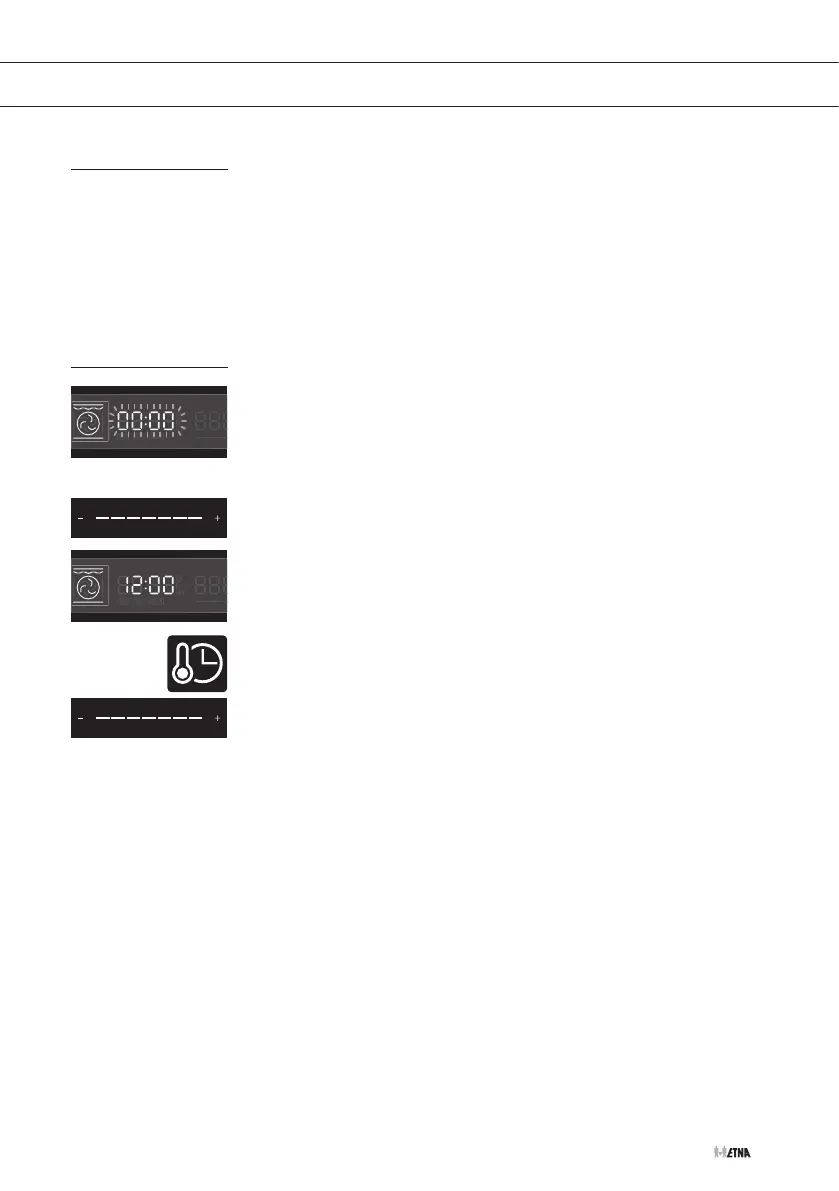
When the oven is connected to the mains power, ‘00:00’ will appear
in the display. The clock will work as long as the microwave oven is
connected to the mains.
1. Touch and hold the clock / temperature setting key.
2. Use the slider or “- / +” keys to set the time (between 00:00
and 23:59).
After you have set the right time, the time will stop blinking.
The clock has been set.
Notes
• To change the time later on, touch and hold the clock / temperature
setting key. The actual time will blink in the display.
• Use the slider or “- / +” keys to set the time and then touch the
clock / temperature setting key again to confirm.


 To Next Page