EN 14
USE
Kitchen timer
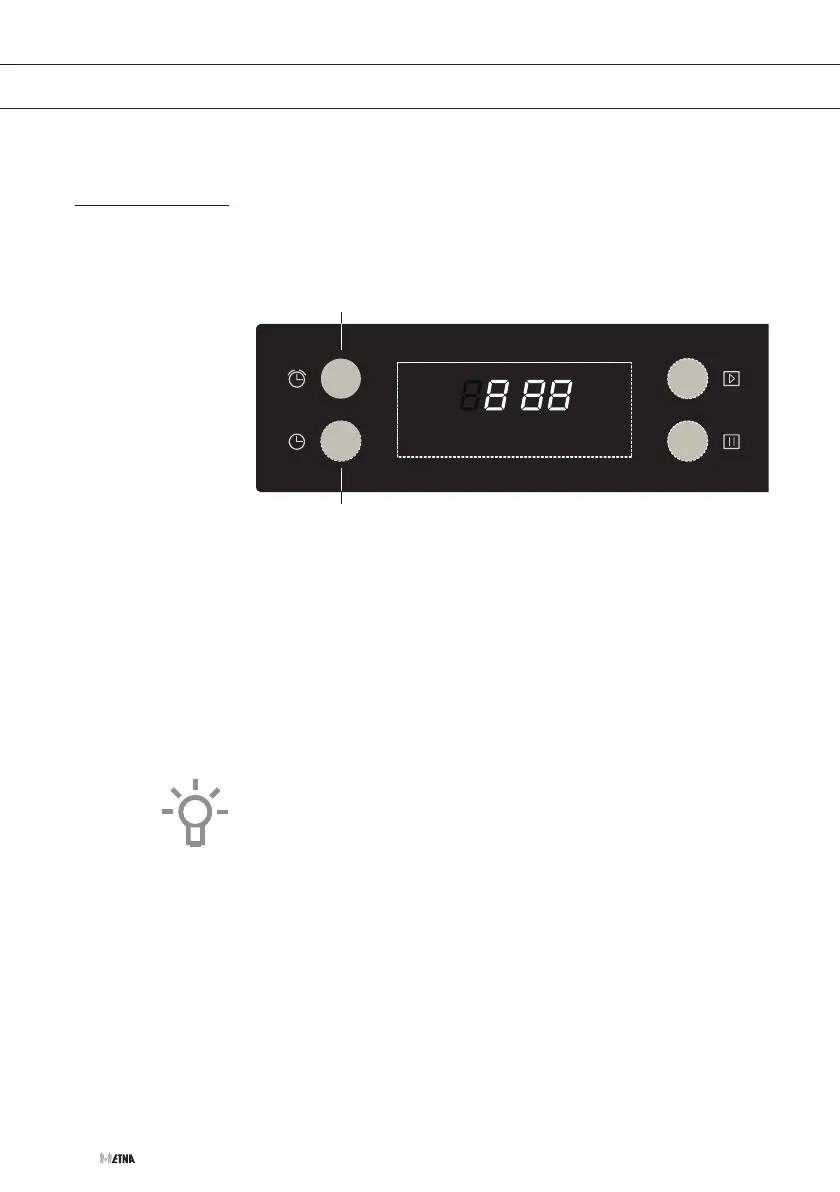
The clock has different kitchen timer functions. The kitchen timer can
be set from 1 minute to up to 9 hours. The kitchen timer can only be
used if the current time is set and the oven is in standby mode. Press
the start button (7) to switch the oven to ‘standby’ mode.
A
B
Setting the kitchen timer
1. Press the kitchen timer button (B) to select the kitchen timer
function.
2. Set the kitchen timer to the required number of hours using the
selection dial (5).
3. Press the kitchen timer button again (B).
4. Set the kitchen timer to the required number of minutes using the
selection dial (5).
5. Press the start button (7) to confirm the set kitchen timer.
When the set time has elapsed, a beep will sound 10 times and the
clock symbol will disappear from the display. Press the pause/stop
button (4) to stop the kitchen timer function.


 To Next Page