5
LISTENING TO FM, AM OR SW1-10
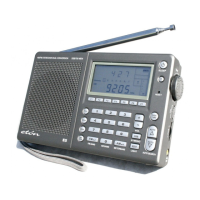
E1100 OWNER’S MANUAL
E1100 OWNER’S MANUAL
Select the FM, AM or SW1-10 band by using the band selector
switch. AM is shown as MW. Use the TUNE knob to tune the radio
to the desired frequency. If you are using an earphone to listen to
FM-stereo, the FM-stereo LED will light in the upper left corner. Note
that the frequency of the station appears in the display.
Shortwave allows listening to stations from around the world. During
the day, listen above 13 mHz. At night, listen below 13 mHz. To learn
more use the Internet or the two books below:
PASSPORT TO WORLD BAND RADIO Published by Interna-
tional Broadcasting Services (IBS); IBS North America, Box 300,
Penn’s Park PA 18943. Phone: (215) 598-9018.
www.passband.com.
WORLD RADIO TV HANDBOOK Published in the USA by
Watson-Guptill Publications, 770 Broadway, 7th Floor, New York,
NY 10003-9595. www.watsonguptill.com.
For AM (MW) the radio uses an internal, directional, ferrite bar
antenna. Rotate the radio for best reception. For FM/SW, fully
extend the telescopic antenna.
LISTENING TO SHORTWAVE
ANTENNA


 To Next Page