FRX3+ OWNER’S MANUAL
6
KEY OPERATIONS
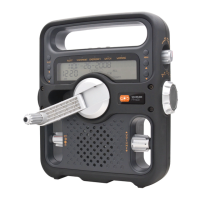
Power
The FRX3+ is powered with either the internal
rechargeable lithium battery (2600mAh, 3.7V) or
USB DC-in (included). Select the power source and
press the Power Button <
> to turn radio on.
SELECTING RADIO BAND
Move dial on front of radio to AM, FM, or one of the
seven preset weatherband stations.
VOLUME CONTROL
Turn the Volume Adjusting Knob to adjust volume
level. Always turn down the volume before using
earphones.
TUNING CONTROL
Turn the tuning knob to change frequencies.
LCD BACKLIGHT
To light the display for about 5 seconds, press ANY
button located on the front of the unit.
FLASHLIGHT
1. Press ashlight button once to turn on ashlight.
2. Press ashlight button again to enable the red
emergency ashing beacon.
3. Press ashlight button a third time to turn off.
SETTING CLOCK
1. With the power OFF, press and hold the SET
button until the time on the display ashes.
2. Adjust the time by pressing the UP or DOWN
button, then press SET to conrm. Repeat for
the minute value.
3. Press SET again to select 12/24 hour clock
display




 To Next Page