FRX3+ OWNER’S MANUAL
7
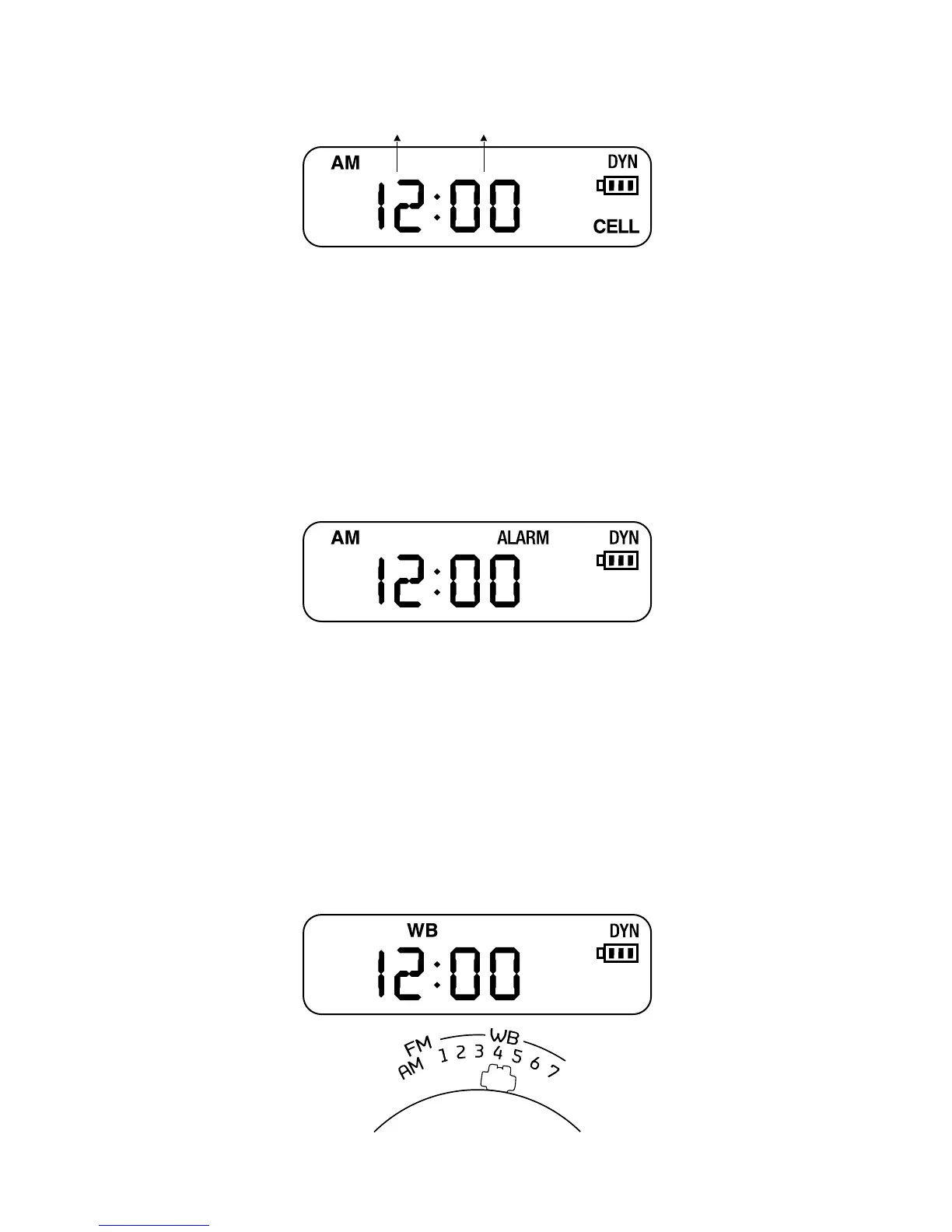
Hour Minute
ALARM ON/OFF
Press the alarm button to turn ON/OFF the alarm.
The word <ALARM> will appear on the display.
ADJUST ALARM
Make sure <ALARM> is ON, then press SET the
button.
Adjust hour of alarm by pressing the UP or DOWN
button, then press SET to conrm. Repeat for the
minute value.
WEATHERBAND TUNING
To hear your local weather station, pull up the
antenna, turn on the radio and select a channel.
Turn up the volume and turn the WB dial to go
through all 7 weather channels.




 To Next Page