MINI OWNER’S MANUAL
5
Note: The MINI will not charge batteries when powered via an AC
adapter.
POWER ON / OFF
1. Install the batteries.
2. Press the <POWER> button shortly to turn on
the unit.
3. The word “on” will appear on the display.
4. After turning on the unit, press the <POWER>
button shortly again to turn off the unit.
LOCK FUNCTION
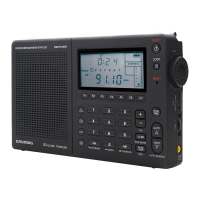
Push the <LOCK> switch in the upper right corner
of the unit down to lock (disable)all of the buttons
for the MINI.
SETTING THE TIME
1. Install the batteries.
2. With the radio off, hold down the <TIME>
button. At the same time, press the <HOUR>
button shortly to set the hour, press the <MIN>
button shortly to set the minute. After settings,
release the <TIME> button to nish setting.
SETTING THE ALARM FUNCTION
Set the Alarm Time
1. Install the batteries.
2. Hold <ALARM> button down, the alarm time
which was set last time and “ALARM” indicator



 To Next Page