SCORPION OWNER’S MANUAL
6
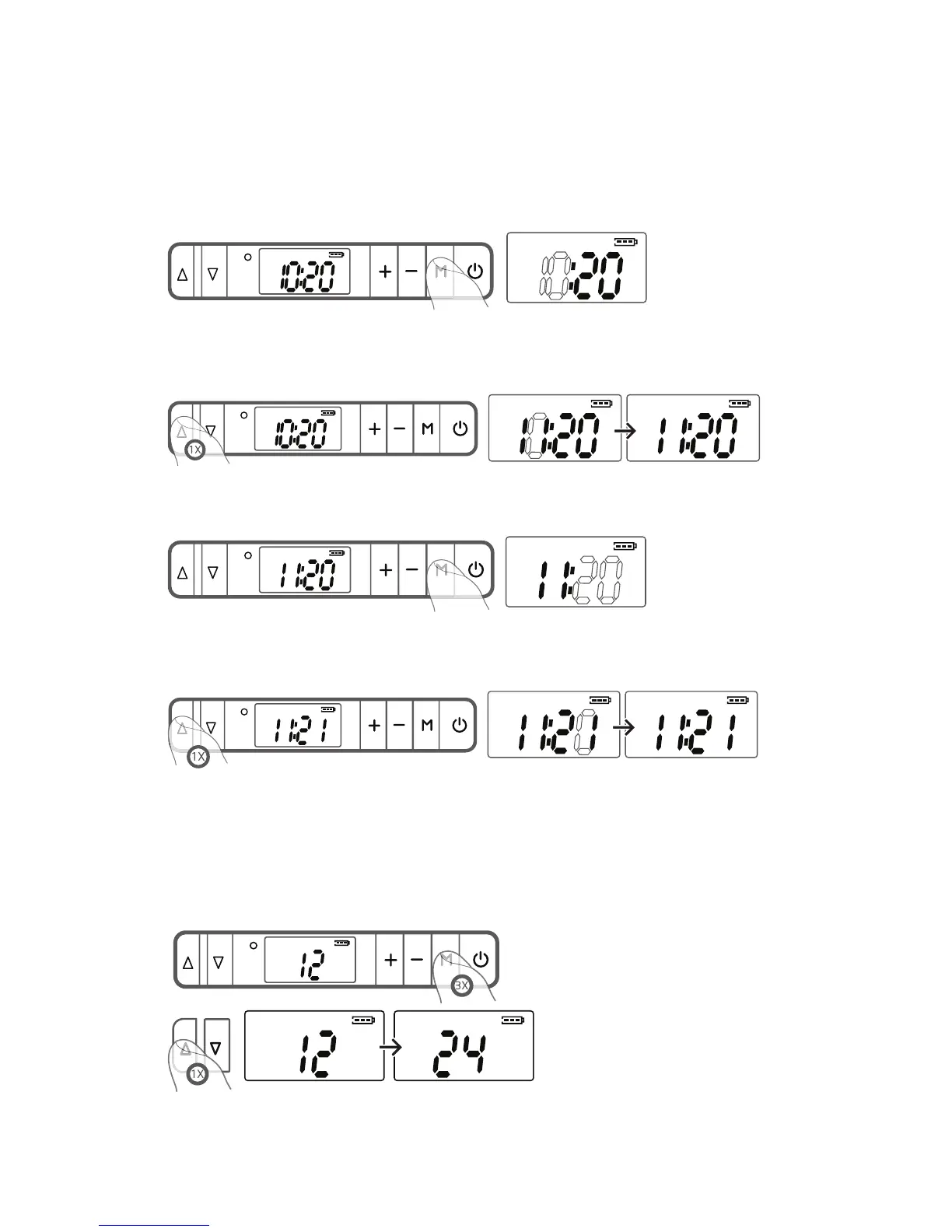
SETTING THE CLOCK
1. Press and hold “M” button
Hours will flash
2. Single press to change hour
3. Toggle to minutes by pressing “M” button
Minutes will flash
4. Single press to change minutes
12 HOUR TO 24 HOUR
1. Press and hold “M” button
Single press to toggle until display reads “12”





 To Next Page