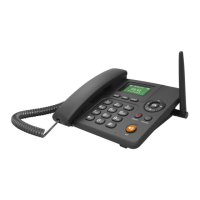
4G FWP ETS-6688 User Manual
be power on, The LCD screen shows operator name, time, signal and capacity of battery. Then
you can make/receive calls.
4.2.2 Turn Off phone
Press button 3 seconds to power off the FWP from the working state.
4.2.3 Make a call
Dial numbers: dial numbers and the numbers will be shown in the screen. If the numbers
show that user dialed is wrong, please press “BACK” to clear the number.
After finishing inputting number, please press key “TALK” to call out at once. If not press
key “Talk”, it will delay several seconds, then call out automatically.
During call, user can adjust volume by pressing left button or right button.
4.2.4 Answer a call
When there is an incoming call, FWP will ring and the screen will show caller ID, you can
pick up the handset or press ”H.F” button to answer the call.
During call, user can adjust volume by pressing left button or right button.
5.Menu function
All menu can be operated in idle state. Press “Menu” be into sub-menu and press “BACK” to
return to upper menu.
5.1 Contacts
Phone book saves numbers which you will easily for future use. When the phone is in idle-state,
please press [menu] or [book] key to go to phone book.
5.1.1 Details
User can view through the contacts records in phone book by pressing the [▲] or [▼] key. Press


 To Next Page