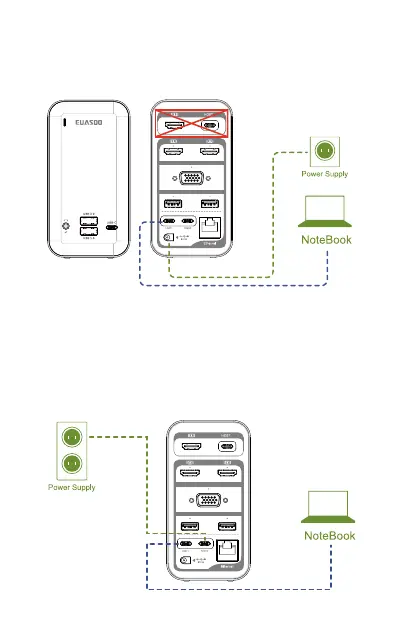
To charge your laptop, you need to confirm does the USB C port
of the laptop support charging and is the laptop's power adapter
for type-c port? If yes, connect your laptop to HOST 2, connect the
power adapter of your laptop to POWER port. If your laptop's USB
C port does not support charging or its power adapter isn't type-c
port, you can charge your laptop directly with the laptop's charger
while using docking, it would be more stabler and faster to charge
your laptop.
Note:
If your laptop's usb-c port support power delivery, but your
laptop's power adapter isn't type-c port, you can charge your
laptop directly with the laptop's charger while using docking, it
would be more stabler and faster to charge your laptop.
VGA
1
USB 3.0 USB 3.0
HOST 2
HOST 2
POWER
DC
VGA
1
USB 3.0 USB 3.0
. 04 .


 To Next Page
 Loading...