English 1009 English
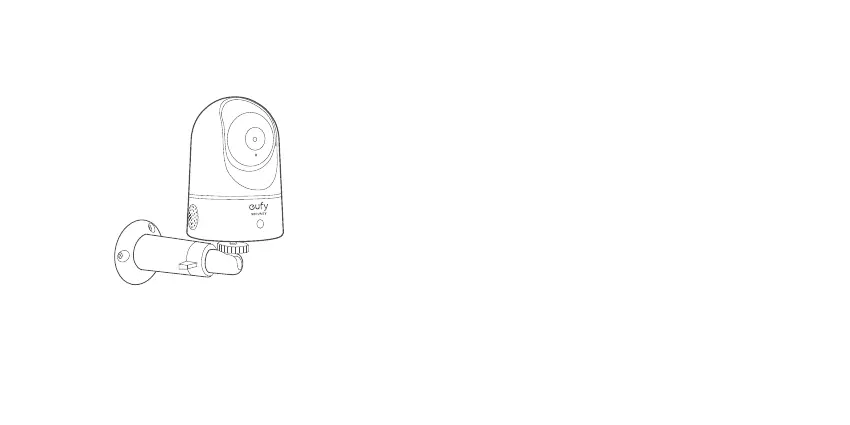
To mount the Indoor Cam on a wall, we recommend using
the mounting bracket (not provided) as the illustration
below.
POWERING ON THE INDOOR CAM
Connect the Indoor Cam to a power outlet using the
provided USB cable and USB adapter. After being
powered on, the Indoor Cam will be connected to the
system. When it is successfully connected, the status LED
will turn solid blue.
Rotate the Indoor Cam to adjust the view and check it
using the live stream which you can access in the eufy
Security app. You are now all set to use your Indoor Cam.
Tip:
For troubleshooting, check Help on the eufy Security app.
Use of the Works with Apple badge means that an
accessory has been designed to work specifically with
the technology identified in the badge and has been
certified by the developer to meet Apple performance
standards. Apple is not responsible for the operation of
this device or its compliance with safety and regulatory
standards.





 To Next Page