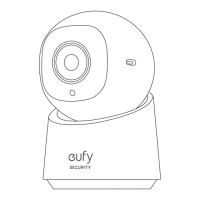
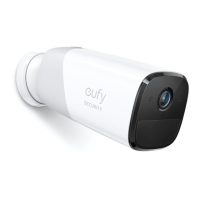
eufy Security Indoor Cam S350
User Guide (T8416)
AT A GLANCE
①
Wide-Angle LensL
⑤
Status LED
②
Telephoto Lens
⑥
Speaker
③
Microphone
⑦
SYNC Button
④
microSD Slot
Insert a microSD card*
(not included) to store recordings
⑧
Power Input
*Use at least a Class 10 microSD card with a maximum of 128 GB.
WHAT
’
S INCLUDED
Indoor Cam S350 USB Cable Power Adapter Wall Mount
Positioning Sticker Screw Pack Quick Start Guide
You may need a screwdriver, drill, and ladder.
SETTING UP THE SYSTEM
1. Download and install the eufy Security app, and sign up for an account.
2. Connect the camera to a power source and wait until the status LED turns solid blue.
3. Tap + in the app and follow the in-app instructions to add your camera.
Questo manuale d’istruzione è fornito da trovaprezzi.it. Scopri tutte le offerte per Eufy S350 o cerca

 Need help?
 General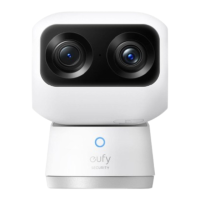

 To Next Page