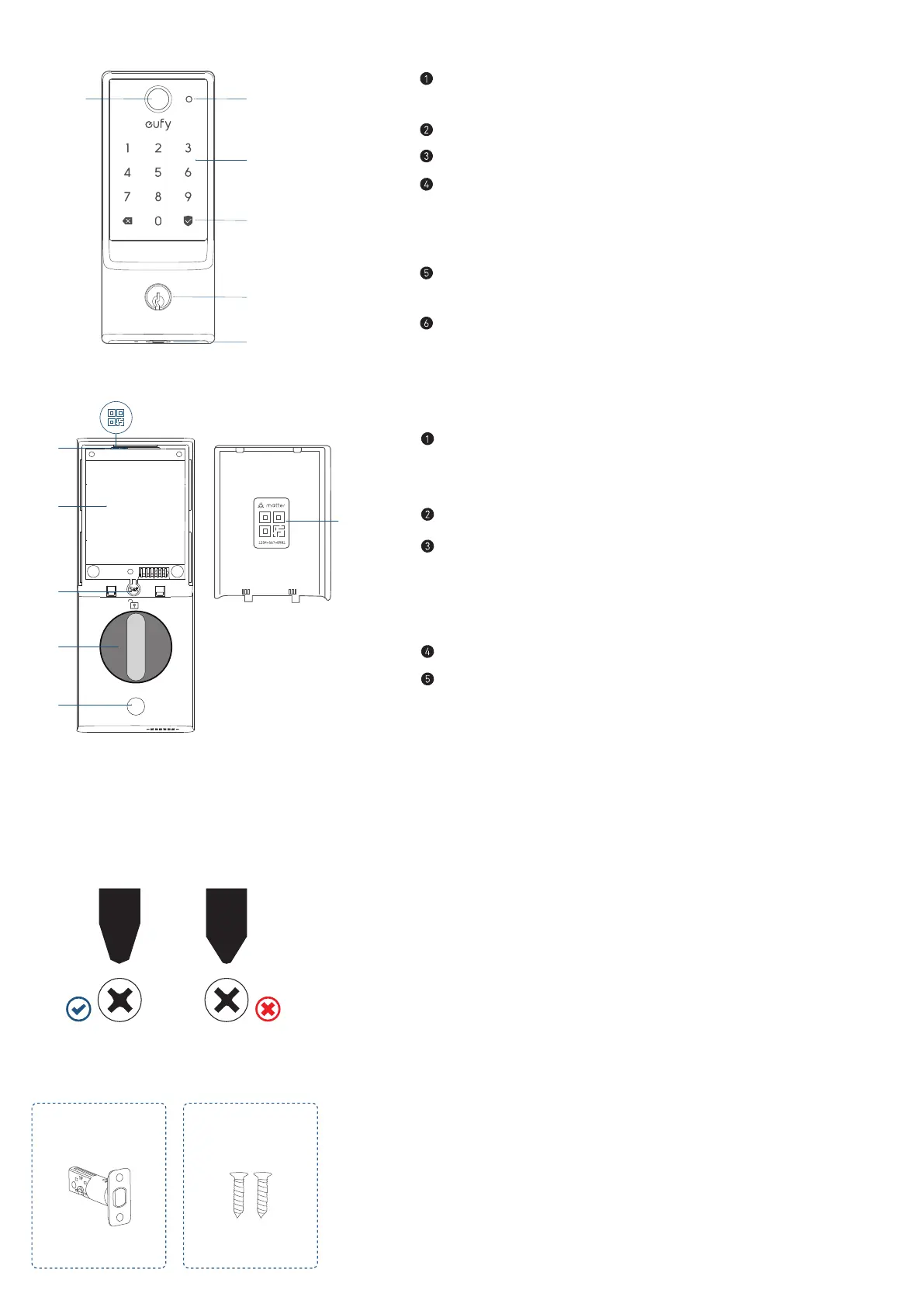
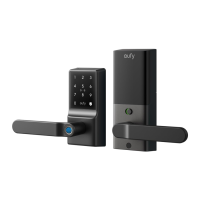
AT A GLANCE (Model: T85F0)
③
⑤
①
④
②
Fingerprint Button
• Use to lock and unlock the door.
Battery Indicator
Keypad
Status Light and Lock / Unlock Button
• Blue: Door unlocked
• Orange: Door locked
• Red: Abnormal state
Keyway
• Can be copied, can't be rekeyed.
USB-C Port
• Charges the lock in emergency situations.
⑤
②
③
④
①
①
Matter QR Code*
• Scan to add the Smart Lock E31 in the corresponding app (See
"SETTING UP THE SYSTEM").
Battery Compartment
Set Button
• Pair: Press and hold for 2 seconds.
• Reset: Press and hold for 10 seconds.
• Recalibrate: Press 5 times in a row.
Thumbturn
Screw Hole
INSTALLATION
What You Need
Prepare a standard Phillips screwdriver before installation. The included screws are Phillips screws.
What's in the Box
Step 2. Deadbolt Installation Set
A B



 To Next Page