EasyManua.ls Logo

EUFY T2126 - User Manual

EUFY T2126
14 pages
Print Icon
To Next Page IconTo Next Page
Loading...
Owner's Manual
11S (T2108)/11S Max (T2126)/15C Max (T2128)
T2108/T2126/T2128 51005003762 V01
RoboVac

Questions and Answers

  • A
    Anna MurilloAug 15, 2025
    Why EUFY Vacuum Cleaner RoboVac cannot be charged?
    • S
      Sharon JohnsonAug 15, 2025
      If your EUFY RoboVac isn't charging, start by checking if the Charging Base indicator lights up. If it doesn't, you may need to contact the eufy service center to repair or replace the Charging Base. Also, check the indicator on RoboVac; a solid red light without a beep during charging could mean the battery has failed. Try reinstalling the battery and turning RoboVac on and off. If the problem continues, contact the eufy service center. Ensure the charging contact pins are free of dust by wiping them with a dry cloth. Finally, check for a beep when docking RoboVac onto the Charging Base; if there's no beep, the Charging Base may need repair or replacement.
  • E
    Elizabeth ColemanAug 18, 2025
    Why is the suction power weak on my EUFY T2126?
    • J
      Jodi HuffAug 18, 2025
      If you notice weak suction on your EUFY Vacuum Cleaner, first check the suction inlet for any blockages. Then, empty the dust collector. Clean the filters using a vacuum cleaner or a cleaning brush. Finally, ensure the filters are completely dry if they've gotten wet.
  • C
    Cynthia ThomasAug 21, 2025
    What to do if EUFY T2126 RoboVac stops working suddenly?
    • M
      Michael FosterAug 21, 2025
      If your EUFY Vacuum Cleaner RoboVac suddenly stops, first check if it's trapped or stuck. Next, check if the battery level is too low. If those aren't the issue, check the “Error Tones” section to find the solution. As a last resort, turn off the main power switch, wait two seconds, and then turn it back on.
  • I
    Ian CarpenterAug 25, 2025
    How to fix EUFY T2126 RoboVac not returning to Charging Base?
    • D
      David CaldwellAug 25, 2025
      If your EUFY Vacuum Cleaner RoboVac is having trouble returning to the Charging Base, make sure to remove any objects within 3 ft/1 m to the left and right and within 6 ft/2 m of the front of the Charging Base. Note that RoboVac returns more quickly when it is close to the Charging Base, and it will need more time if the Charging Base is far away. Also, clean the charging contact pins.
  • S
    shannonmcbrideAug 27, 2025
    What to do if EUFY T2126 Vacuum Cleaner remote control does not work?
    • C
      Craig KirkAug 27, 2025
      If the remote control for your EUFY Vacuum Cleaner isn't working, try replacing the batteries. Also, ensure that RoboVac is turned on and fully charged. Finally, make sure the remote control is within 16 ft/5 m of RoboVac.
  • M
    malexanderAug 30, 2025
    How to fix EUFY Vacuum Cleaner RoboVac that cannot be activated?
    • S
      stevenslindaAug 31, 2025
      If your EUFY Vacuum Cleaner RoboVac won't activate, ensure the main power switch is in the "I" (On) position and that the battery is fully charged. Replace the batteries in the remote control and make sure it's within 16 ft/5 m of RoboVac. If problems persist, turn the main power switch off and then on again.
  • J
    Julia LamSep 2, 2025
    Why EUFY Vacuum Cleaner RoboVac cannot connect to Wi-Fi?
    • J
      Joshua GonzalezSep 2, 2025
      If your EUFY Vacuum Cleaner RoboVac fails to connect to Wi-Fi, first, double-check that you've entered the Wi-Fi password correctly. Then, ensure your RoboVac, router, and mobile phone are close enough for a strong signal. Finally, confirm that your Wi-Fi router supports the 2.4GHz and 802.11b/g/n bands, as the 5GHz band is not supported.
  • A
    Andrea MontgomerySep 5, 2025
    How to fix EUFY T2126 RoboVac movements that are abnormal?
    • E
      Emily ChangSep 5, 2025
      If your EUFY Vacuum Cleaner RoboVac is moving abnormally, try cleaning the sensors carefully with a dry cloth. If that doesn't work, restart RoboVac by turning the power switch off and on.
  • C
    colonjulieSep 8, 2025
    Why EUFY Vacuum Cleaner rolling brush does not rotate?
    • O
      olopezSep 8, 2025
      If the rolling brush on your EUFY Vacuum Cleaner isn't rotating, start by cleaning the rolling brush. Then, check to ensure the rolling brush and brush guard have been installed properly.
  • J
    Jesse WilliamsSep 12, 2025
    What to do if you cannot schedule cleanings on EUFY T2126?
    • D
      Daniel NelsonSep 12, 2025
      If you're unable to schedule cleanings on your EUFY Vacuum Cleaner, first ensure the main power switch on the bottom of RoboVac is turned on. Then, verify that the time, time of day (AM/PM), and the scheduled time on the remote controller have been set correctly. Finally, check if RoboVac’s power is too low to start cleaning.

Summary

Important Safety Instructions

General Safety Precautions

Lists essential safety guidelines to prevent fire, injury, and property damage during use.

Using Your RoboVac

Important Tips Before Use

Provides essential advice to ensure proper operation and prevent damage.

Preparation Steps

Guides on installing side brushes, turning on the power, and placing the charging base.

RoboVac Operation

Charging Your RoboVac

Details how to connect the charging base and charge the RoboVac.

Start and Stop Cleaning

Explains how to initiate and halt the cleaning process using the RoboVac or remote.

Auto Cleaning Mode

Describes the automatic cleaning path optimization for complete coverage.

Cleaning Modes

Time Setting

Scheduled Cleaning

Setting a Scheduled Cleaning

Details the process for scheduling RoboVac to clean at a specific time.

Cleaning and Maintenance

Cleaning Dust Collector and Filters

Provides instructions on cleaning the dust collector and different types of filters.

Component Maintenance

Cleaning the Rolling Brush

Step-by-step guide for cleaning the main rolling brush.

Cleaning Bumper, Sensors, and Charging Pins

Guides on cleaning essential external components for optimal performance.

Troubleshooting

RoboVac Not Activating

Solutions for when the RoboVac fails to turn on or respond.

RoboVac Stops Suddenly

Solutions for unexpected shutdowns during operation.

Weak Suction Power

Causes and solutions for reduced suction performance.

Error Diagnostics

RoboVac Not Charging

Solutions for when the RoboVac fails to charge properly.

Flashing Red Indicator Light Errors

Explains causes and solutions for flashing red light error codes.

Solid Red Indicator Light Errors

Explains causes and solutions for solid red light error codes.

Customer Service and Support

Overview

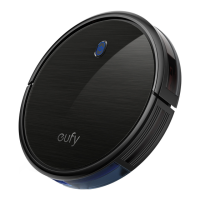
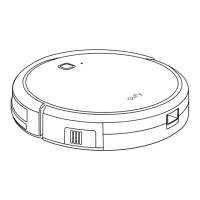
This document describes the eufy RoboVac, an automated cleaning device designed for household use. The RoboVac is a robotic vacuum cleaner that operates autonomously to clean hard floor surfaces and low-pile carpets.

Function Description

The eufy RoboVac is primarily designed for automated floor cleaning. It utilizes a combination of rolling brushes and side brushes to sweep up dust and debris, which are then collected in a dust collector equipped with filters. The device can navigate various floor types, including hard floors and low-pile carpets, and is equipped with sensors to prevent falls and collisions. It offers multiple cleaning modes to suit different needs, including Auto cleaning, Spot cleaning, Edge cleaning, and Quick cleaning. The RoboVac can be controlled via a remote control or, for the 15C Max model, through the eufy Clean app. It automatically returns to its Charging Base when its battery is low or when a cleaning cycle is complete.

Usage Features

The RoboVac offers a user-friendly experience with several convenient features:

  • Multiple Cleaning Modes:

    • Auto Cleaning: This is the most commonly used mode, where the RoboVac optimizes its cleaning path by automatically selecting different cleaning modes until the task is complete.
    • Spot Cleaning: Ideal for concentrated areas of dust or debris, the RoboVac cleans a specific area in a spiral pattern for approximately 2 minutes.
    • Edge Cleaning: The RoboVac reduces its speed and follows walls to ensure thorough cleaning of edges for about 20 minutes before returning to the Charging Base.
    • Quick Cleaning: For small rooms or areas that need a quick clean, the RoboVac stops cleaning after 30 minutes and returns to the Charging Base.
    • Manual Cleaning: Users can direct the RoboVac to clean specific areas using directional buttons on the remote control.
  • BoostIQ™ Feature: This intelligent feature automatically increases suction power when stronger power is needed, such as on thicker carpets or for stubborn messes. While it enhances cleaning performance, it may increase noise and total cleaning time. This feature can be disabled if desired and works in Auto and Quick cleaning modes.

  • Scheduled Cleaning: Users can set a specific time for the RoboVac to start cleaning automatically. This requires ensuring the device's internal clock is set correctly to the local time.

  • Remote Control / App Control: The RoboVac can be operated using a dedicated remote control. For the 15C Max model (T2128), control is also available via the eufy Clean app, which allows for setting time and scheduled cleaning directly.

  • Automatic Charging: The RoboVac automatically returns to its Charging Base to recharge when its battery level is low or after completing a cleaning cycle.

  • Safety Sensors: Equipped with anti-drop sensors, the RoboVac can detect stairs and steep drops, preventing it from falling. These sensors may be less effective on reflective or very dark-colored floors. Bumper sensors help it navigate around obstacles.

  • Preparation Tips: Before use, it is recommended to remove power cords and small objects that could entangle the RoboVac. Tasseled edges of rugs should be folded underneath, and physical barriers can be used to block off areas where the RoboVac might fall or enter restricted spaces like fireplaces or air vents. The Charging Base should be placed on a hard, level surface against a wall, free from objects within 3ft/1m on the sides and 6ft/2m in front.

Maintenance Features

Regular cleaning and maintenance are crucial for optimal performance and longevity of the RoboVac. The manual provides clear instructions for maintaining various components:

  • Dust Collector and Filters:

    • The dust collector should be cleaned after each use.
    • The pre-filter and foam filter can be washed with water and air-dried thoroughly before reassembling.
    • The high-performance filter should be cleaned weekly but not washed with water, as this can damage it and reduce suction power. It should be replaced every 2 months.
    • A brush, hot water, or any detergent should not be used to clean the filter.
  • Rolling Brush: The rolling brush should be cleaned weekly and replaced every 6-12 months. Instructions involve removing the brush guard, lifting out the rolling brush, and using the cleaning tool to remove hair and debris.

  • Side Brush: The side brushes should be cleaned once a month and replaced every 3-6 months (or when visibly worn). This involves unscrewing the side brush, removing any tangled hair or debris, and then reattaching it.

  • Bumper, Sensors, and Charging Pins: These components should be cleaned monthly using a dry cloth to ensure proper functionality.

  • Swivel Wheel: The swivel wheel should be cleaned once a month. This involves pulling out the wheel, removing any hair or debris, and reinserting it. The swivel wheel can be washed with water and used only when completely dry.

  • Battery Care: To preserve battery lifespan, the RoboVac should be recharged at least every 6 months if not used for a long period. The main power switch should be turned off during extended storage. The battery is designed to be replaceable by a skilled professional.

  • Troubleshooting: The manual includes a comprehensive troubleshooting section with solutions for common issues such, as the RoboVac not charging, not activating, stopping unexpectedly, or having problems with its brushes or suction power. It also provides guidance on interpreting error tones and solid red light indicators.

The eufy RoboVac is designed to be a convenient and efficient tool for maintaining clean floors, with features that balance automated operation with user control and straightforward maintenance.


EUFY T2126 Specifications

General IconGeneral
BrandEUFY
ModelT2126
CategoryVacuum Cleaner
LanguageEnglish

Related product manuals