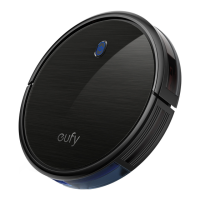
The Eufy RoboVac 11c (Model: T2103) is an owner's manual for a robotic vacuum cleaner designed for indoor use. It provides comprehensive instructions for setup, operation, maintenance, and troubleshooting.
Function Description:
The RoboVac 11c is a robotic vacuum cleaner designed to autonomously clean hard floor surfaces and low-pile carpets. It features multiple cleaning modes, including Auto, Spot, Edge, Single Room, and Max cleaning, to adapt to various cleaning needs. The device can be controlled via a remote control or through the EufyHome app, which also allows for scheduling cleaning times. Additionally, it offers optional voice control integration with Amazon Alexa. The RoboVac is equipped with drop sensors to prevent falls and a bumper to navigate obstacles. It automatically returns to its charging base when the battery is low or at the end of a cleaning cycle.
Important Technical Specifications:
- Product Model: T2103
- Input (Charging Base): 19 V ⎓ 0.6 A
- Output (Charging Base): 19 V ⎓ 0.6 A
- Voltage (RoboVac): DC 14.8 V
- Power Consumption: 27 W
- Battery Type: DC 14.8 V Li-ion 2600 mAh
- Dust Collector Capacity: 0.6 L
- Cleaning Time: Max 100 mins
- Charging Time: 300-360 mins
- Operating Frequency Range: 2412 MHz - 2484 MHz
- Max Radio-Frequency Power: 2 W
- Wi-Fi: Supports 802.11 b/g/n and IPv4 protocol (2.4 GHz band only). WPA and WPA2 using TKIP, PSK, AES/CCMP encryption.
Usage Features:
- Remote Control: Allows users to start/stop auto cleaning, adjust direction, initiate single room cleaning, return to charging base, start Max cleaning, Spot cleaning, and Edge cleaning. Requires 2 AAA batteries.
- EufyHome App Control: Enables full control of the RoboVac, including selecting cleaning modes, setting time, scheduling cleaning, checking system status, receiving notifications, and accessing additional features. Wi-Fi connection is required for app control.
- Amazon Alexa Integration (Optional): Allows voice commands for starting, stopping, and sending the RoboVac home. Requires an Alexa-enabled device and the EufyHome - RoboVac skill enabled in the Alexa app.
- Auto Cleaning: RoboVac calculates room size and optimizes its path, automatically selecting different cleaning modes until complete.
- Spot Cleaning: Intensively cleans a specific area in a spiral pattern, useful for concentrated dust or debris.
- Edge Cleaning: Reduces speed when detecting a wall and follows it to thoroughly clean edges.
- Single Room Cleaning: Cleans one single room intensively and stops when complete.
- Max Cleaning: Starts auto cleaning with maximum suction power, ideal for carpets.
- Manual Cleaning: Users can direct the RoboVac to clean specific areas using directional buttons on the remote control.
- Automatic Charging: RoboVac returns to the charging base at the end of a cleaning cycle or when its battery is low.
- Reduced Power Standby Mode: Pressing and holding the Auto cleaning button on the RoboVac for 20 seconds enters this mode to save power, disabling Wi-Fi.
- Safety Features: Anti-drop sensors prevent tumbling down stairs. Bumper helps navigate obstacles.
Maintenance Features:
- Dust Collector and Filters:
- Recommended to empty the dust collector and clean the filter after every use.
- The dust collector, filter cover, and foam filter can be washed with water and must be air-dried thoroughly before reassembly.
- The HEPA-Style filter should not be washed with water to avoid damage and reduced suction power.
- Rolling Brush:
- Can be removed by pulling release tabs on the brush guard.
- Clean with the provided cleaning tool or a vacuum cleaner.
- Reinstall by inserting the fixed protruding end first, then clicking into place.
- Side Brushes:
- Regularly clean foreign substances like hair or string tangled around them.
- Use a cloth dampened with warm water to remove dust or reshape them.
- Replace bent or damaged side brushes by pulling off old ones and snapping new ones into place.
- Sensors and Charging Pins:
- Regularly dust off drop sensors and charging contact pins using a cloth or cleaning brush to maintain best performance.
- Battery Preservation: If not used for a long period, turn off the power switch and recharge at least once every 3 months.


 To Next Page
 General