8 Appendix FAQ
8.1 I have got multiple alarms during the connection process
It is completely normal to get alarms during these processes as the sensors you are connecting are at room temperature
when first plugged in. Be aware that you do not continue to get these alarms.
8.2 I have gotten a new external sensor and now I get more alarms
The new externally calibrated sensors are more accurate and react faster, therefore, it is also normal to get more alarms.
Therefore, it is advisable to expand the alarm limits. However, greyzone alarms are not affected by this.
To change the limits go to eupry.com/logger, and change the critical high and critical low settings for your alarms.
8.3 The light does not turn on when I press the Eupry Button
Look at the user manual for the Data Logger on support.eupry.com.
8.4 The logger does not light green when I release the button
Look at the user manual for the Data Logger on support.eupry.com.
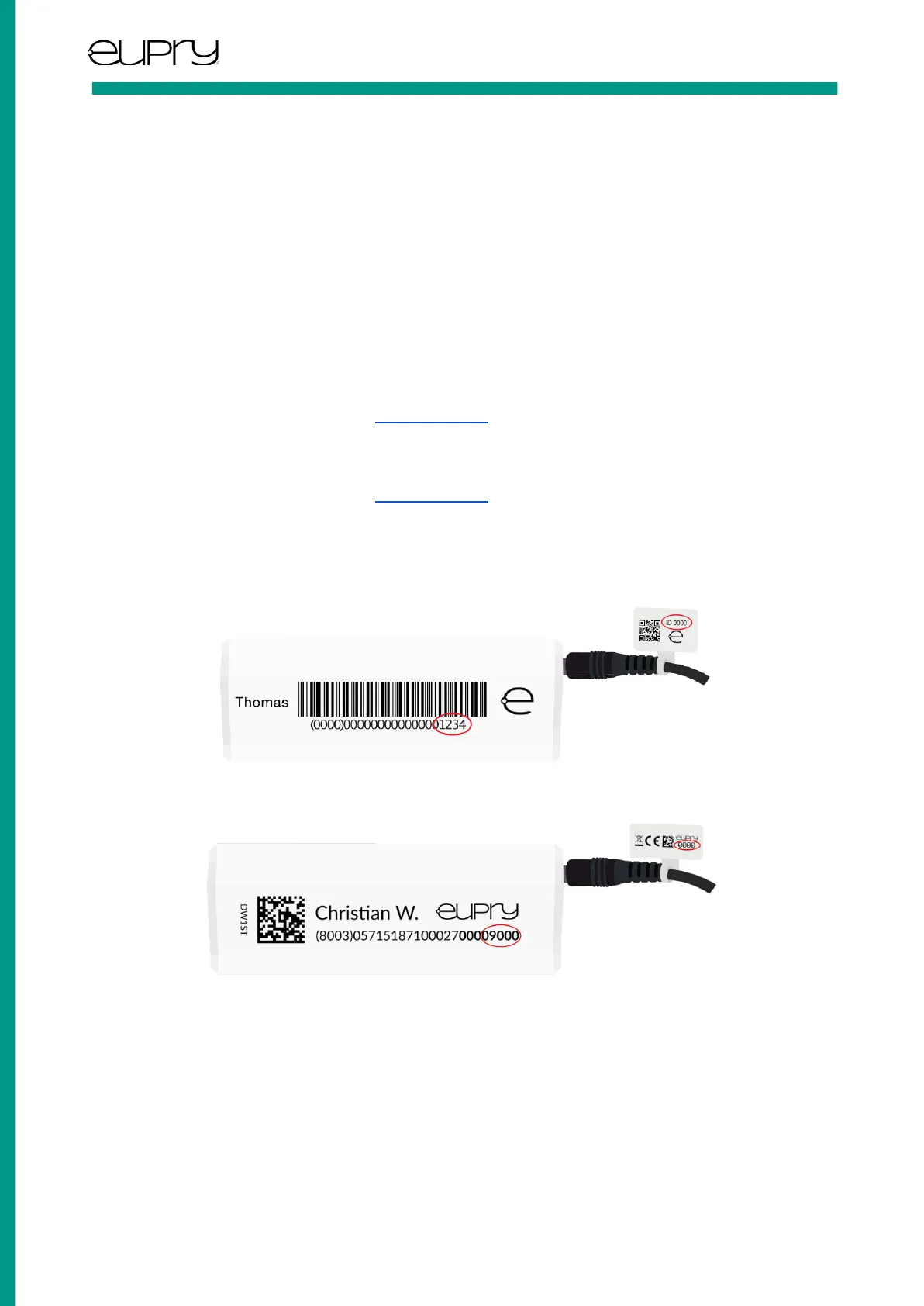
8.5 Where can I see the ID of the Data Logger and ID of the External Sensor?
We have two kinds of barcode labels. The two pictures below illustrate where the ID can be found.
The ID of the Data Logger is the last four digits on the side of the Data Logger. The ID of the sensor is the digits on it (see
figure).
The ID of the Data Logger is the last five digits on the side of the Data Logger. The ID of the sensor is the digits on it (see
figure).
User Guide: External Sensor, P2T
Rev. 1.2 -June 2022 Page 6 of 7
Eupry ApS | Dortheavej 59. 3. | 2400 Copenhagen | www.eupry.com/ | +45 53 51 77 00 | support@eupry.com



 To Next Page