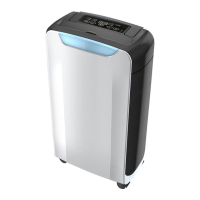
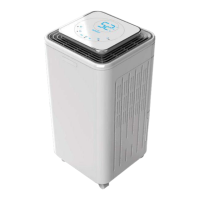
This document provides an instruction manual for the OL10-009D dehumidifier, a super quality appliance designed to remove excess moisture from the air, creating a more comfortable environment for homes and offices. Its compact design allows for easy portability between rooms.
Function Description
The dehumidifier operates by drawing in moist air, removing the water vapor, and then releasing drier air back into the room. This process helps to control humidity levels, preventing issues such as mold growth, musty odors, and damage to household items caused by excessive moisture. The unit is equipped with a water tank to collect the removed moisture, and it also supports continuous drainage for extended operation without manual emptying. An ionizer feature is included to help improve air quality.
Usage Features
The dehumidifier is designed for indoor use and should be placed on a flat, hard surface to minimize vibration and noise. It requires at least 20cm of space around it for proper ventilation.
Control Panel and Indications:
The control panel features several buttons and indicators for easy operation:
- Power Button: Turns the unit on and off. When first plugged in, the unit will buzz, and pressing the power button will turn it on with a primary humidity setting of 50% and low fan speed.
- Power Indication: Shows green when the unit is powered on, regardless of whether it's actively running.
- Water Full Indication: Lights up red and the unit buzzes 15 times when the water tank is full, at which point the unit stops operating. The tank must be emptied and correctly reinserted for operation to resume.
- Timer Button: Allows setting a timer for up to 24 hours for automatic on/off operation. The timer indicator shows green when active. The timer can be canceled by setting it to "00" on the display.
- Timer Indication: Shows green when the timer function is active.
- Low Fan Speed Indication: Shows green when the unit is operating at low fan speed.
- High Fan Speed Indication: Shows red when the unit is operating at high fan speed.
- Humidity Setting Button: Adjusts the target humidity level. The initial setting is 50%, and it can be adjusted in increments: 50% → 55% → 60% → 65% → 70% → 75% → 80% → 40% → 45% → 50%. The machine will automatically stop when the indoor humidity falls below the set level.
- Fan Speed Setting Button: Toggles between HIGH and LOW fan speeds.
- Drying Clothes Feature: When activated, the unit enters "Dry Cloth" mode, continuously dehumidifying at high fan speed by default. The drying clothes model indicator shows red.
- Ionizer Button: Turns the ionizer function on or off. There is an 8-second delay for this function to start or stop. The ionizer indicator shows green when active.
- Display: Shows the indoor humidity when the power is on, the selected humidity data when adjusting humidity, and the timer data when setting the timer.
Water Drainage:
The dehumidifier offers two methods for water drainage:
- Water Tank: When the water tank reaches its capacity of 1.5L, the "Water Full" indicator turns red, and the unit buzzes and stops. To empty, pull out both sides of the water tank from the back of the machine, empty the collected water, and then push the tank back into the correct position using both hands. It's crucial not to remove the float from the water tank, as this prevents the machine from stopping when full, leading to overflow.
- Continuous Drainage: For uninterrupted operation, a PVC pipe (inner diameter 9.5mm, recommended length 300mm) can be connected to the drainage port on the rear panel. The other end of the pipe should lead to a bathroom, outdoors, or a container like a bucket. The rubber adaptor on the drainage port is a special accessory and should not be replaced. The PVC pipe is not included and must be purchased separately. When using continuous drainage, ensure the pipe is not blocked, folded, or positioned more than 1.5m higher than the bottom of the unit. The cover for the continuous drainage port must be closed when not in use.
Auto Defrost:
The unit features an auto defrost function for low-temperature operation:
- Between 5°C and 12°C, the machine defrosts automatically every 30 minutes.
- Between 13°C and 20°C, the machine defrosts automatically every 45 minutes.
Maintenance Features
Regular maintenance ensures the dehumidifier's optimal performance and longevity. Always turn off and unplug the unit before any maintenance or repair to avoid electric shocks.
Cleaning the Housing:
Clean the exterior housing with a soft, moist cloth. Avoid using chemical solvents such as benzene, alcohol, or gasoline, as these can damage the surface or deform the case. Do not sprinkle water directly on the unit.
Cleaning the Air Filter:
The unit is equipped with a washable air filter. It is recommended to clean the filter every two weeks, as a blocked filter can reduce efficiency.
- Remove the Filter: Gently pull out the air filter from the unit.
- Clean the Filter: Immerse the filter gently into warm water (about 40°C) with a neutral detergent. Rinse it thoroughly and allow it to dry completely in a shaded place.
- Assemble the Filter: Slowly insert the clean and dry filter back into its place in the machine.
Storage:
If the dehumidifier will not be used for an extended period:
- Completely drain the water tank, ensuring no water remains inside.
- Unplug the unit and neatly fold the power supply cord.
- Remove and clean the air filter, allow it to dry completely, and then reinstall it.
- Store the dehumidifier in a cool, dry location, away from direct sunlight, extreme temperatures, and excessive dust.
Troubleshooting:
The manual includes a troubleshooting section to address common issues before contacting professional service, potentially saving time and expense. For instance, if the unit doesn't operate, check for power supply, water tank status, room temperature (it won't work below 5°C or above 35°C due to self-protection), or if the timer function is active. If the dehumidifying function doesn't work or the unit frequently turns on/off, check for a clogged air filter, open doors/windows, heat sources nearby, or obstructed intake/discharge ducts. If the operation is noisy, ensure the unit is on an even, solid surface and check the air filter. If the "water full" indication frequently appears, it may signal a malfunction, and professional help should be sought.
Safety Precautions:
The manual emphasizes several safety cautions, including installing the unit on a flat surface, never immersing it in liquids, not operating with damaged cables, disconnecting from power before cleaning or relocating, operating only at specified voltage, and using it solely for indoor purposes. Heavy objects should not be placed on the appliance, and it should not be tipped. No other objects should be inserted into the unit. It should be kept away from heat-generating devices and flammable materials. Children should be supervised to ensure they do not play with the appliance. Any damage to the supply cord requires replacement by the manufacturer or a qualified person. The appliance plug must be accessible, and installation must comply with national wiring regulations. The ambient temperature range for operation is 5°C to 35°C. Users are warned not to repair, dismantle, or remold the appliance themselves, and any power cord changes must be done by a qualified person. In case of abnormal operation, switch off and unplug the unit immediately and contact a qualified electrician. Electrical appliances should not be disposed of as unsorted municipal waste; separate collection facilities should be used.


 To Next Page
 General