00020580.DOC, Version 1.5
20/28
4. DESCRIPTION
4.1 Features
Comfortable DMX-controller
• 24 control channel
• 48 memorizable programs via 4 pages
• 12 scenes can be called directly via the faders
• Blackout-function
• Sound control via built-in microphone or via Line In connection
• Controller comes without pre-programmed chasers
• 19" mounting dimensions with 6 units
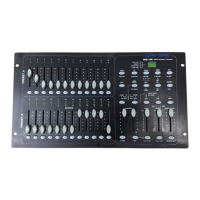
4.2 Overview
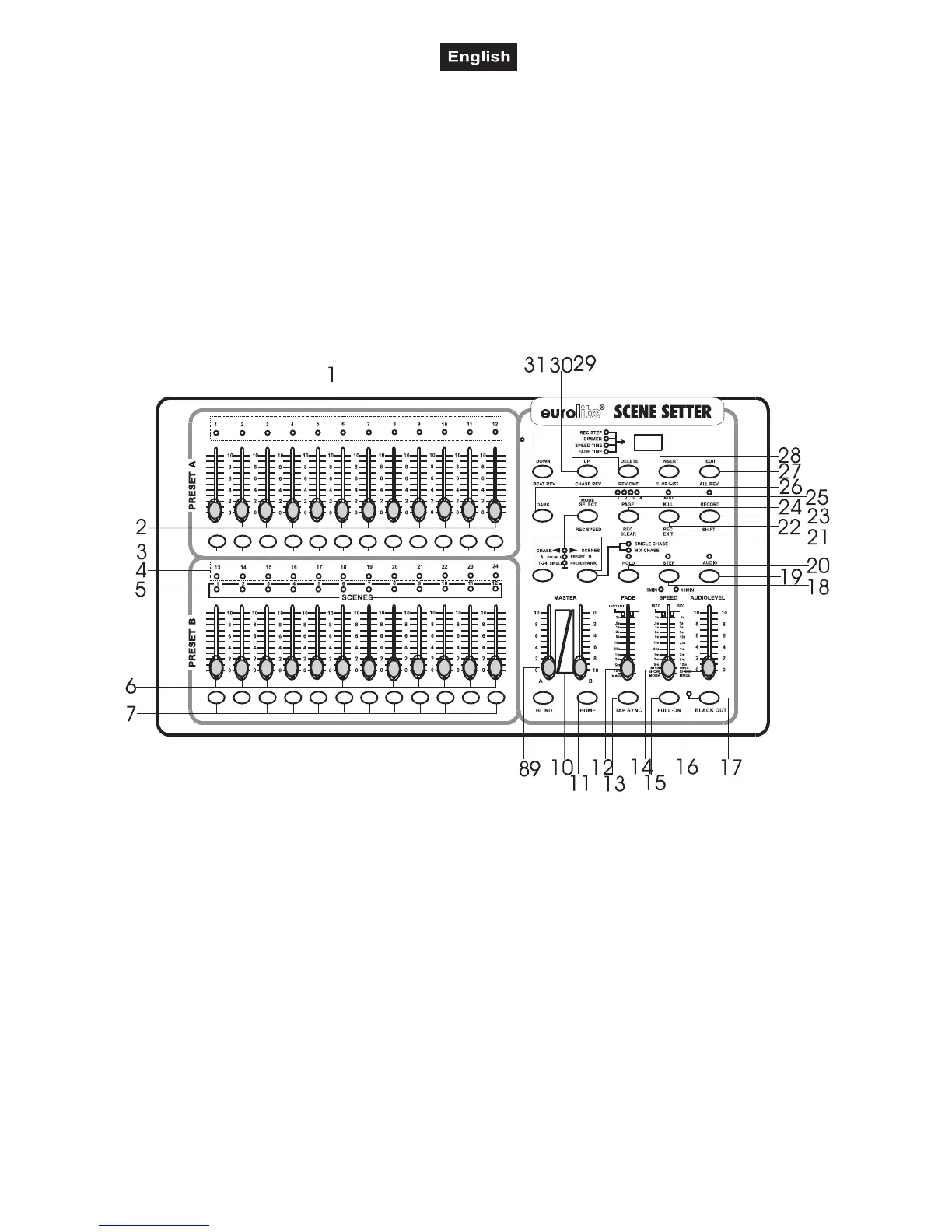
Overview on the control elements
1) PRESET A LEDS
2) CHANNEL SLIDERS 1-12
These sliders will adjust the output of 1 to 12 channel from 0 to 100% or 0 to 255.
3) Flash key 1-12
ress to activate maximum channel output.
4) PRESET B LEDS
5) SCENES LEDS
6) CHANNEL SLIDERS 13-24
These sliders will adjust the output of 1 to 12 channel from 0 to 100% or 0 to 255.
7) Flash key 13-24
Press to activate maximum channel output.
8) MASTER A SLIDER
The slider will adjust the output of preset A.
9) BLIND KEY
In Chase-Scene mode, this key when activated, the output of each channel will be controlled only by
slider or flash key.
10) MASTER B SLIDER
The slider will adjust the output of preset B.
11) HOME KEY
In Chase-Scene mode, this key,when activated, the output of each channel will be come back from
controlled by slider or flash key to controlled by program.



 To Next Page