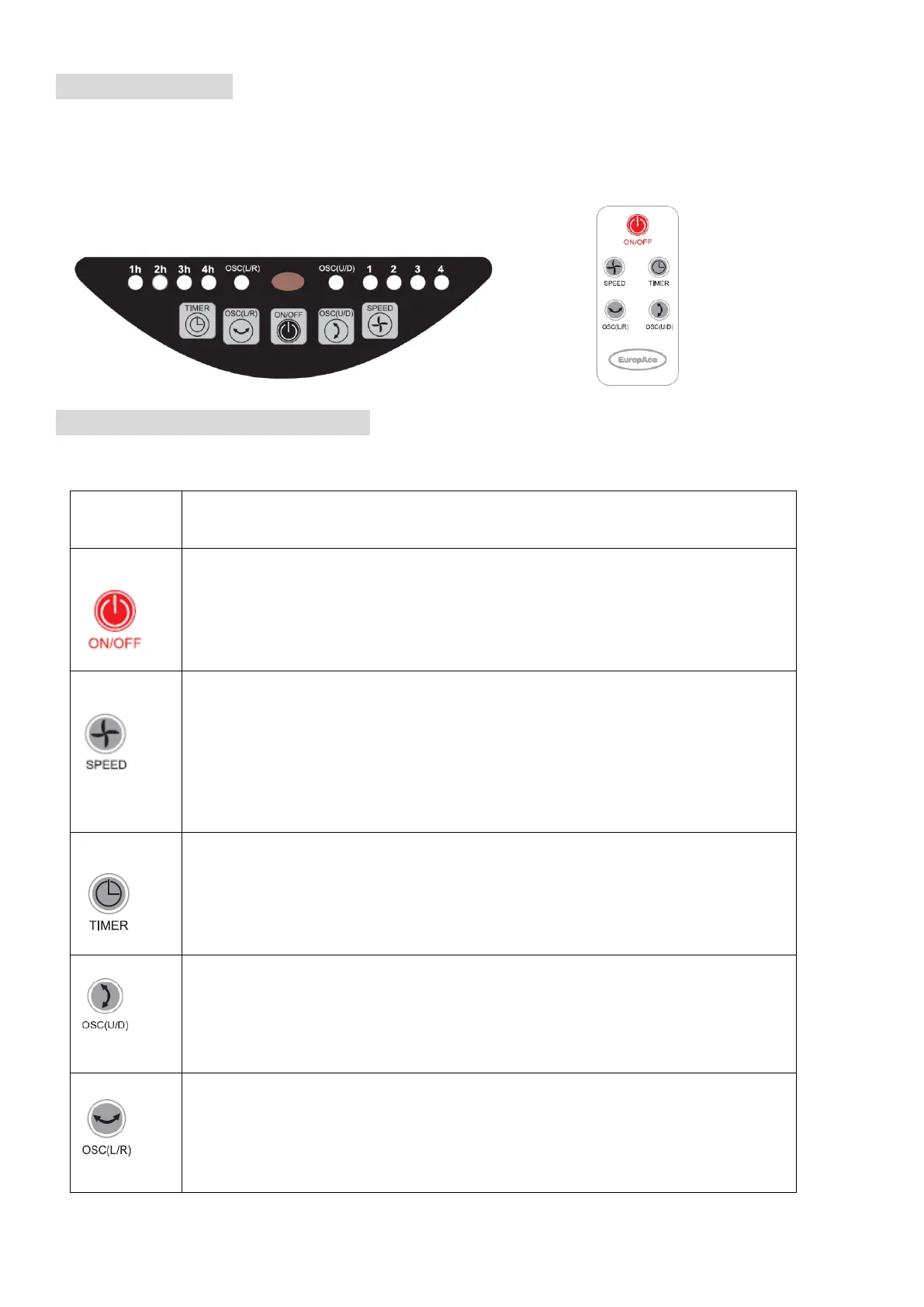
FAN OPERATION
Plug into any AC 220-230V~, 50Hz source, insure that the plug and the socket fit well. You can operate the
appliance by the control panel or remote controller
Control panel Remote
Button and Symbol’s Function
ON/OFF button:
Press the button once, the fan will start at LOW (1) speed mode. Press again
to turn the fan off.
SPEED button:
Fan speed adjustment.
Press once to set Low (2) fan speed.
Press the third time to set MED (3) fan speed.
Press the fourth time return to HIGH fan speed.
Press the fifth time return to MUTE (1) fan speed
TIMER button:
When the fan is in use, you can set the time to close the appliance. You can press
the buttons continually to set the timer off function between 1 and 4 hours in 1h
increments.
OSC (U/D) button:
Up to down oscillation button.
To activate the Oscillation feature, press the button once. Press again to
cancel.
OSC (L/R) button:
Left to right oscillation button.
To activate the Oscillation feature, press the button once. Press again to
cancel


 To Next Page