10. App Instructions
The following instructions will assist you with downloading and using the EvaKool Down
Under Series II App. This app is suitable for Down Under Series II 95L, 80L & 65L only.
Please note that the app is a bonus feature and is not needed for the fridge to function.
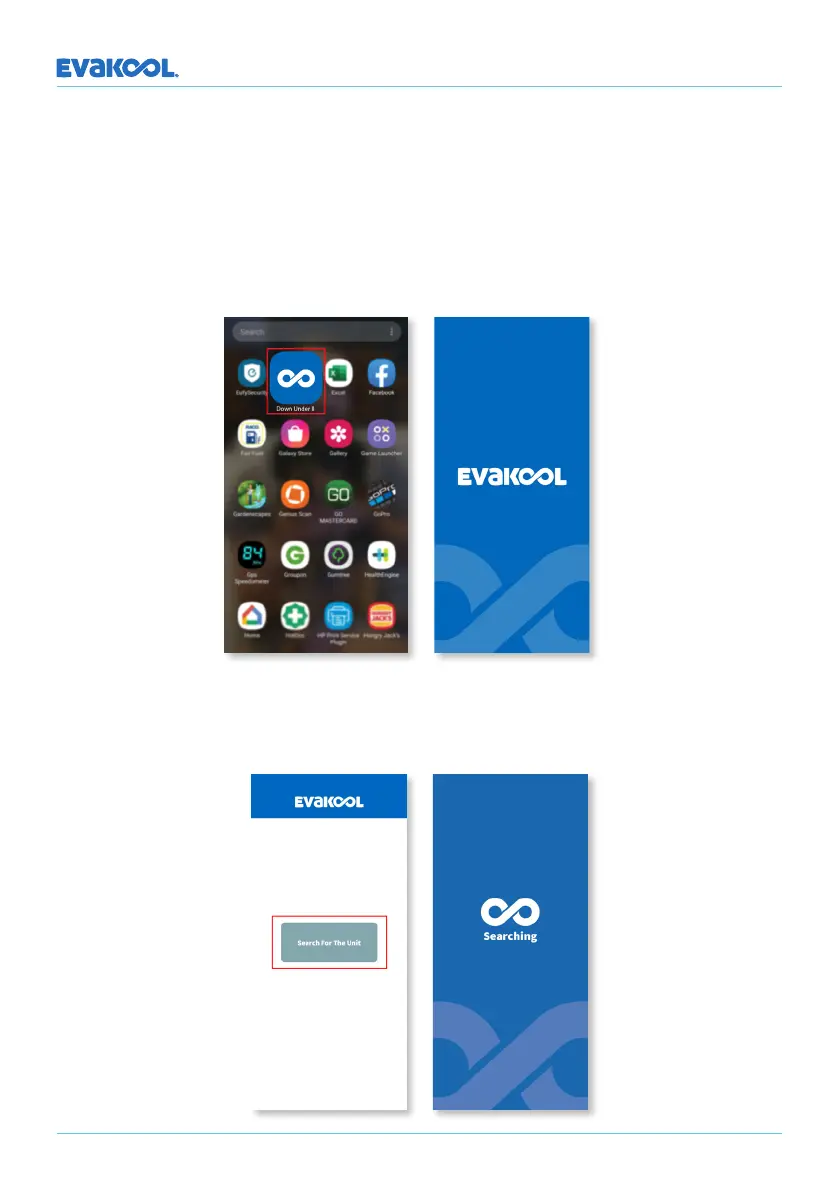
Step 1: Download the app from the Apple App Store or the Google Play Store. Once
downloaded, enter the app by clicking its icon on the home screen.
DOWN UNDER SERIES II
Step 2: To connect to the fridge press the ‘Search for the unit’ button. While the app is
searching, you will stay on the ‘Searching’ page.
16


 To Next Page