DOWN UNDER SERIES II
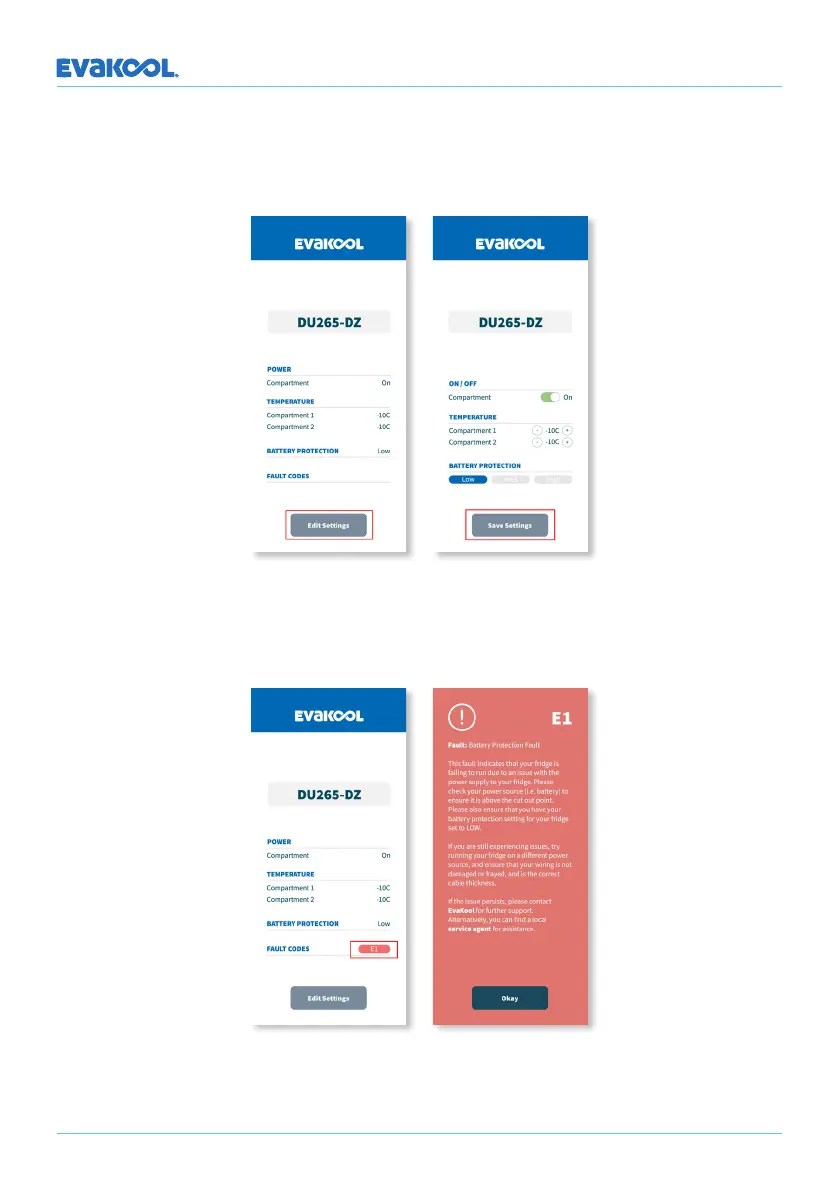
Step 5: To edit the fridge settings press ‘Edit Settings’. There are three fridge settings that
you can changed; On/O, Temperature & Battery Protection Mode. Once you have chosen
the desired settings press ‘Save Settings’.
Step 6: If you experience a fault code, simply press the red button next to ‘Fault Codes’.
You’ll be taken to a page that will indicate what the fault is and how to proceed.
18


 To Next Page