TRAVELMATE FRIDGE FREEZER
Instruction Manual
3 | P a g e
Cable Specification
The DC cables must have a suitable cross-section for their length, according to this table:
*Note: The length is from the battery to the refrigerator.
Using the Fridge
Temperature setting range:-20ºC~20ºC, -4ºF~68ºF;
Plug in the DC power cable. Use the ON/OFF switch to run the fridge. The unit will beep
three times, then the LED display on the control panel will light up and the interior
temperature will be displayed. This unit has a start delay of approximately 2 minutes before
the compressor will start.
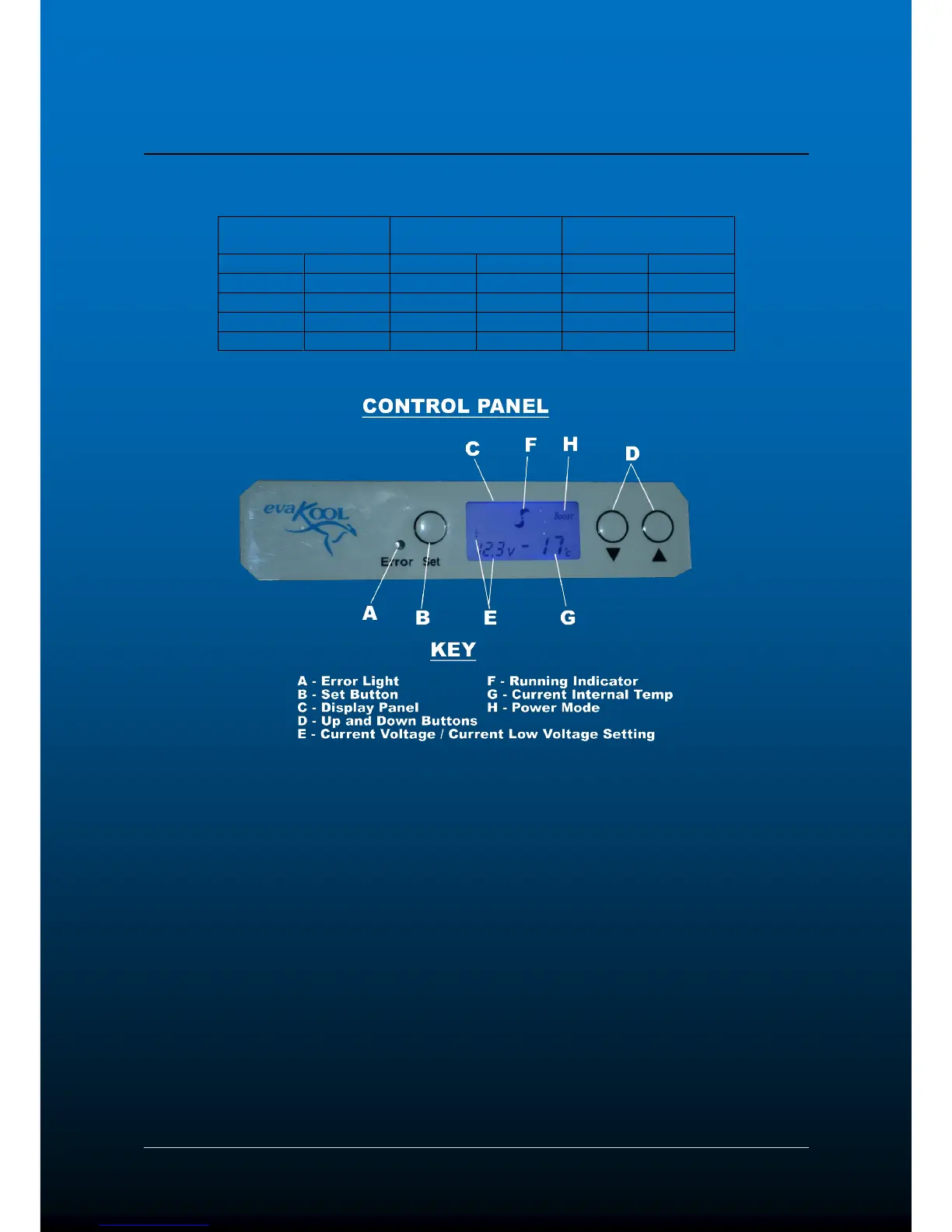
Press SET and then press the △ UP and ▽ DOWN buttons to adjust the temperature. Press
the button △ to increase while the button ▽ to decrease the temperature. To lock in the
target temperature press set twice or leave for 5 seconds. The display board will display the
current temperature inside the unit after the target temperature is set. After approximately 5
minutes the displayed temperature will start to decrease.
If the power supply is cut off, the refrigerator will switch off automatically and then
automatically switch on again when the unit receives power.
To change the fridge between ºC and ºF. Hold SET and ▽ DOWN at the same time until the
display changes.
To change the boost hold the SET button for 4 seconds and use the △UP and▽DOWN buttons
to adjust between ECO, BOOST and AUTO. ECO sets the compressor at 2000rpm to be used
in ambient conditions below 30
º
C. BOOST sets the compressor at 2700rpm to be used in
ambient conditions above 30ºC. AUTO automatically sets the compressor based on the target
temperature set.



 To Next Page