11. Do not use batteries with their + (positive) and -
(negative) ends (terminals) reversed.
12. Batteries can become hot during the charging process.
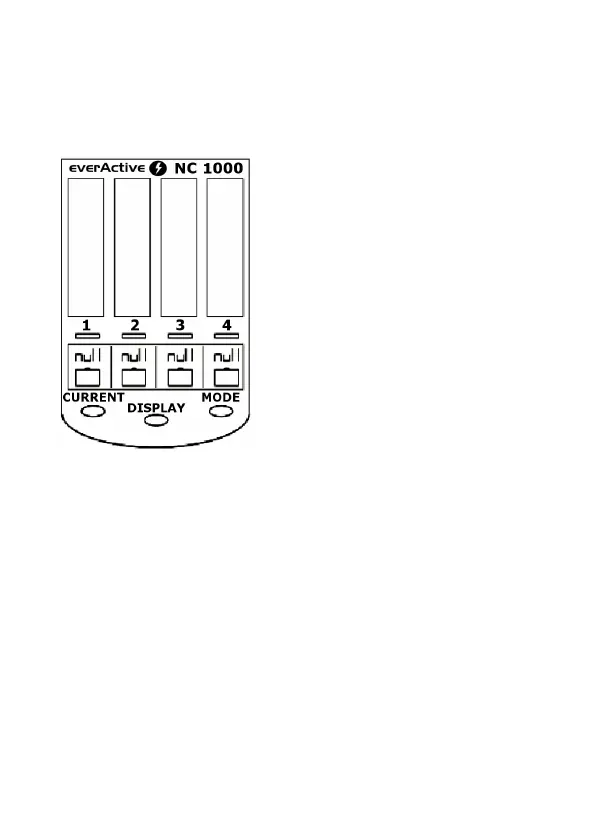
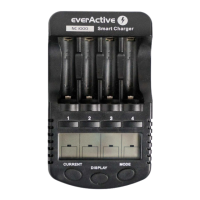
5. Charger overview. Main controls.
1,2,3,4 – selects battery slot for
additional operation mode /
electric current changes.
MODE – selects charger
operation mode: charge,
discharge, refresh, test. This
button needs to be pressed for
more than one second to
activate, it can be used together
with “1,2,3,4” button for setting
individual operating modes of
each charging slot.
DISPLAY – switches between
various information: charging/discharging currents,
elapsed time, cell’s voltage, capacity.
CURRENT – selects charging/discharging current for
inserted batteries. Button works for the first eight seconds
after inserting batteries. Can be also used after pressing
MODE button.


 To Next Page