Do not connect the charger (8, 9) if you detect signs of
moisture on the charger port (1).
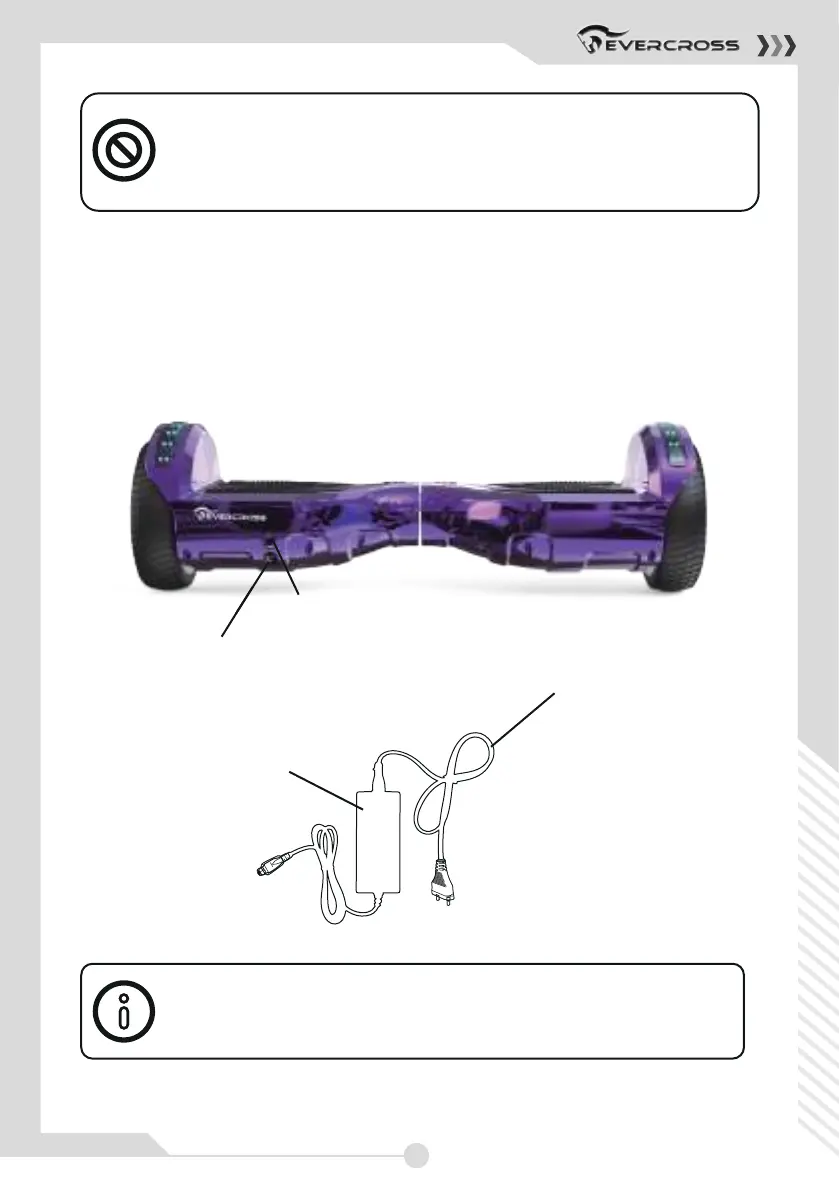
• The charger port (1) is next to the on / off button (2).
• Please connect the charger cable (8) to the mains cable (9).
• Now connect the charger cable (8) to the charger port (1).
• Please connect the mains cable (9) to a power socket. Please pay
attention to the notes on the type plate of the charger (8, 9).
Indicator light is green: charging is complete or charger (8, 9)
cannot be connected. Indicator light is red: Device is charging.
9
8
2
1
13



 To Next Page