HEAT LIVE RELAX
SETTING A USER PROGRAM
The user program (UP) is the most versatile of all the programs, where the user decides when the heater is on high
& low, and on what days of the week it happens. To start, use the “setting a program” procedure above and adjust
the program to “UP”. Press the programming button (11) and Monday’s 24 hour program will be displayed. The
times are divided into ½ hour blocks (shown at the bottom of the display) and the start time of the block is shown
at the top of the display. Choose low temperature (down (10) button) or high temperature (up (9) button) for each
block, and the program will move onto the next block. Do every block within the 24 hour time period until the start
time reaches “00:00” again. Press button 8 (timer select) to lock that day in and the display will change to the next
day. Continue this sequence for all 7 days and then leave for 5 seconds for the heater to return to its operating
mode. NOTE: Plan your timing ahead before starting the process as when no button is pressed for 5 seconds within
block program, the heater will return to the operating mode & the user program will be lost.
If you wish to copy a full day’s program to the next day, instead of finishing the block program by pressing button
8 (timer select), which locks the program, press button 7 (copy), then button 8 to lock that day & then button 7 again
to “paste” the program onto the new day. Repeat to copy the program onto subsequent days.
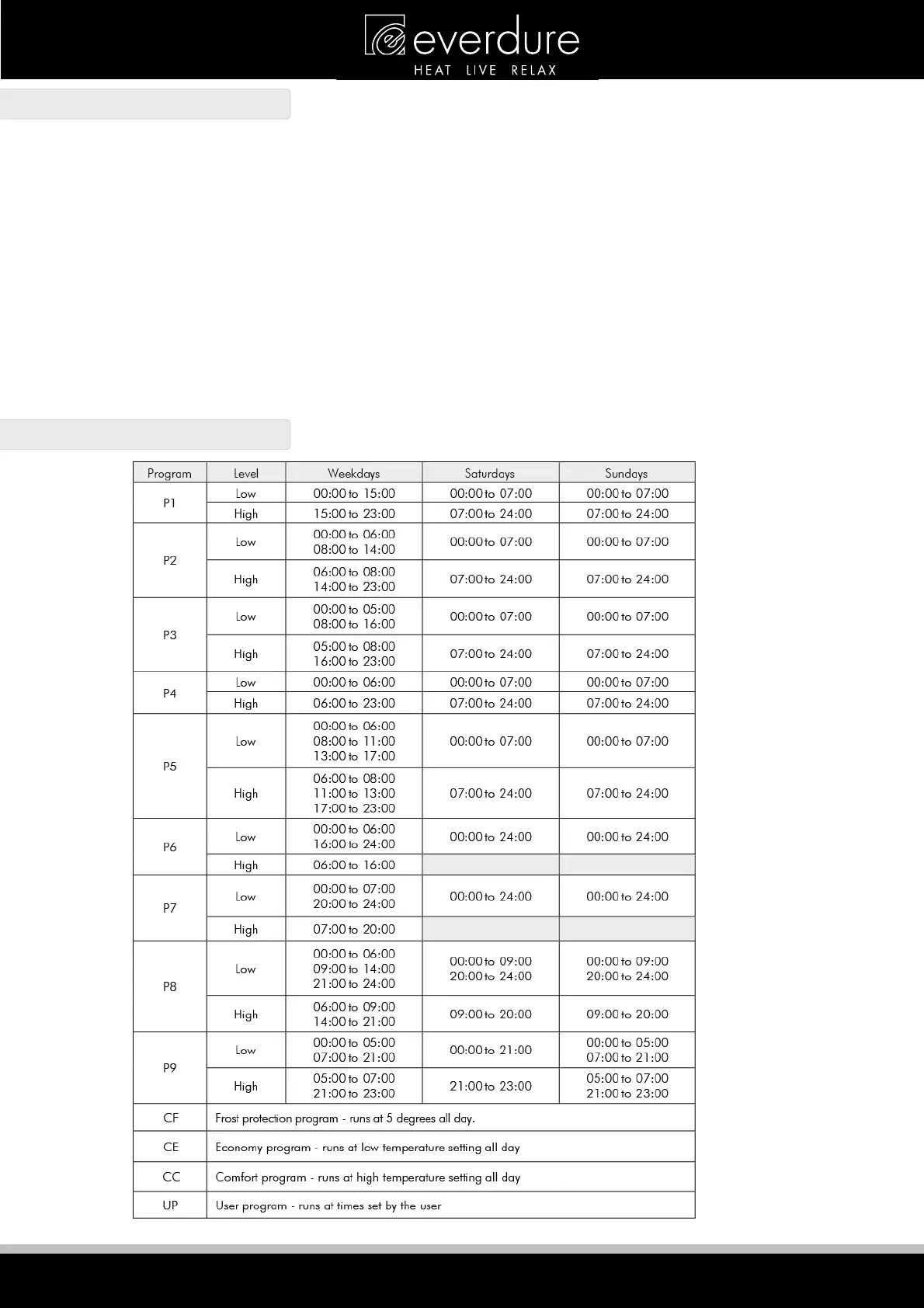
PROGRAM DESCRIPTIONS


 To Next Page