EasyManua.ls Logo

EverExceed 6K - User Manual

EverExceed 6K
35 pages
Print Icon
To Next Page IconTo Next Page
Loading...
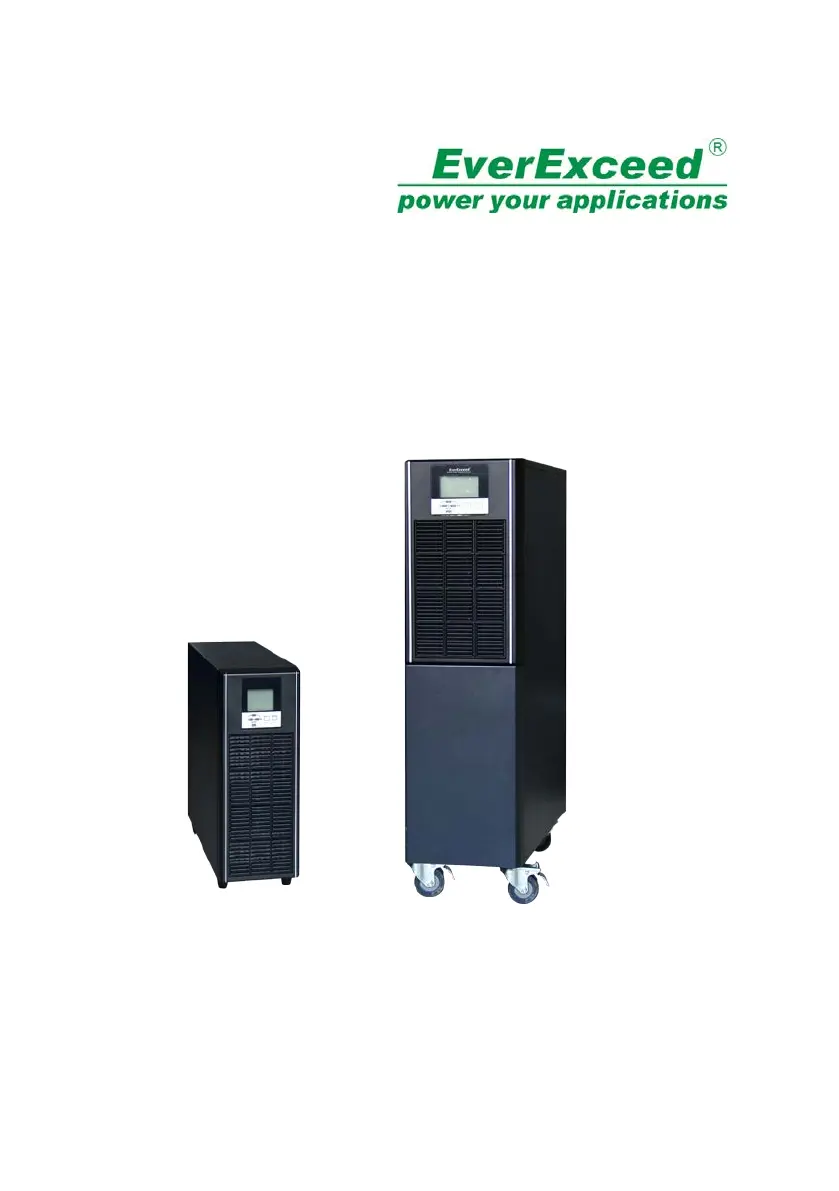
EverExceed PowerLead2 Series UPS
(6-10KVA)(HV model)
User Manual
www.everexceed.com
PowerLead2 Series 6-10kVA UPS User Manual
1

Questions and Answers

  • K
    keith74Sep 8, 2025
    What does over synchronization mean on my EverExceed UPS?
    • J
      James GoodmanSep 8, 2025
      If the EverExceed UPS indicates an over synchronization, it means the bypass voltage or frequency is over the tracking range. There could be an interruption if manually transferring to bypass or if the inverter is faulty.
  • P
    Paul CollinsSep 7, 2025
    How to fix a fan fault on an EverExceed 6K UPS?
    • M
      Matthew CookSep 7, 2025
      If the EverExceed UPS displays a fan fault, check if all fans are working normally and ensure nothing is blocking them.
  • M
    Matthew OlsonAug 22, 2025
    What to do if the EverExceed 6K UPS shows a utility abnormal message?
    • T
      teresa74Aug 22, 2025
      If the EverExceed UPS indicates a utility abnormality, first check if the mains input is normal. Then, verify that the mains input voltage and frequency are within the working range. Also, check if the mains input breaker or external input breaker is open. Recover the mains input power; otherwise, the output will shut down if the battery is discharged to EOD (End of Discharge).
  • T
    Tracey JacksonSep 4, 2025
    What to do if the EverExceed 6K UPS shows EPO?
    • H
      higginsrachelSep 4, 2025
      If the EverExceed UPS has an EPO (Emergency Power Off) issue, check if the EPO is closed correctly and if the EPO is activated manually.
  • J
    John SmithSep 3, 2025
    What should I do if my EverExceed UPS shows an inverter fault?
    • C
      Connor PattersonSep 3, 2025
      If the EverExceed UPS displays an inverter fault, manually clear the fault. If the fault persists, contact your local dealer.
  • D
    Douglas DorseySep 1, 2025
    What to do if my EverExceed UPS shows a rectifier fault?
    • P
      Paige LongSep 2, 2025
      If the EverExceed UPS displays a rectifier fault, manually clear the fault. If the fault persists, contact your local dealer.
  • T
    Tonya SchwartzAug 31, 2025
    What happens when my EverExceed UPS has an overload timeout?
    • P
      Paul BryantAug 31, 2025
      If the EverExceed UPS shows overload timeout, it will transfer to bypass. If the bypass is also overloaded, the output could be shut down due to bypass overload timeout. Remove some loads, and the UPS will transfer back to the inverter.
  • C
    Christopher HuntAug 30, 2025
    Why is my EverExceed UPS in manual bypass?
    • H
      Hayley BarnettAug 30, 2025
      If the EverExceed UPS is in manual bypass mode, it means the manual bypass is closed, and the UPS will transfer to bypass, which forbids transferring back to the inverter.
  • P
    poolebrookeAug 29, 2025
    What to do if the EverExceed 6K UPS displays a bypass abnormal message?
    • A
      Ashley GuerreroAug 29, 2025
      If the EverExceed UPS indicates a bypass abnormality, check if the bypass input power is abnormal and if the bypass input breaker is opened. Recover the bypass input power; otherwise, there will be no backup circuit when the UPS is faulty.
  • R
    rebeccawuAug 27, 2025
    How do I fix an inverter over temperature issue on my EverExceed UPS?
    • Z
      Zachary PerryAug 27, 2025
      If the EverExceed UPS indicates an inverter over temperature, check if the fans are working normally, ensure nothing is blocking ventilation, verify the sensor is connected correctly, and confirm the environmental temperature is within the UPS range.

Summary

IMPORTANT SAFETY INSTRUCTIONS

Product Description

Battery Mode

Explains UPS operation when utility power fails, drawing from the battery.

1.6 UPS Working Mode

Outlines the different operating modes of the UPS system.

1.7 Product Specification

1. General Specification

Provides general specifications including power rating, voltage, current, and dimensions.

Product Specification

2. Electrical Performance

Details electrical performance parameters like input voltage, frequency, and power factor.

Output

Specifies output voltage regulation, power factor, distortion, overload capacity, and crest ratio.

2. Installation

2.2 Connect Input;Output Power

Provides instructions for connecting the UPS to power sources.

Installation

2.3 Operating procedure for connecting the long backup time model UPS with the external battery

Details the procedure for connecting external batteries for extended UPS backup.

2.4 Connect Parallel Cables

Explains how to connect multiple UPS units in parallel for increased capacity or redundancy.

3. Controls And Indicators

Description of Panel

Details the functions of control buttons and status indicators on the UPS panel.

Controls

Explains the functions of the ON/OFF and FUNC buttons.

Indicators

Describes the meaning of REC, INV, and BYP status indicators.

Installation

4. OPERATION

4.1 Operation Mode

Details how to turn the UPS on and off in various operational modes.

4.1.1 Turn on the UPS in normal mode

Step-by-step guide for starting the UPS in normal operating mode.

4.1.2 Turn on the UPS from battery without utility power

Instructions for starting the UPS using battery power when utility is unavailable.

Operation

4.1.3 Turn off the UPS in normal mode

Procedures for safely shutting down the UPS from normal mode.

4.1.4 Turn off the UPS in Battery mode

How to turn off the UPS when it is operating in battery mode.

6. Maintenance

Rated Parameters Set on LCD

6.3 Battery Replacement Procedures

Step-by-step instructions for safely replacing the UPS battery modules.

7. Trouble Shooting

Annex C. Battery Run Time

EverExceed 6K Specifications

General IconGeneral
ModelEverExceed 6K
CategoryUPS
Frequency50/60 Hz
Battery Voltage192VDC
Input Voltage230/240 VAC
Output Voltage230/240 VAC
WaveformSinewave
Battery TypeSealed Lead-Acid (SLA)
Communication InterfaceRS232, USB
Operating Temperature0°C to 40°C
Humidity95% non-condensing