101
6.2.2 Enabling ActiveX Controls
Note: This section is only necessary if you DO NOT see the yellow ActiveX bar at the top
of your browser screen when you first connect to the DVR.
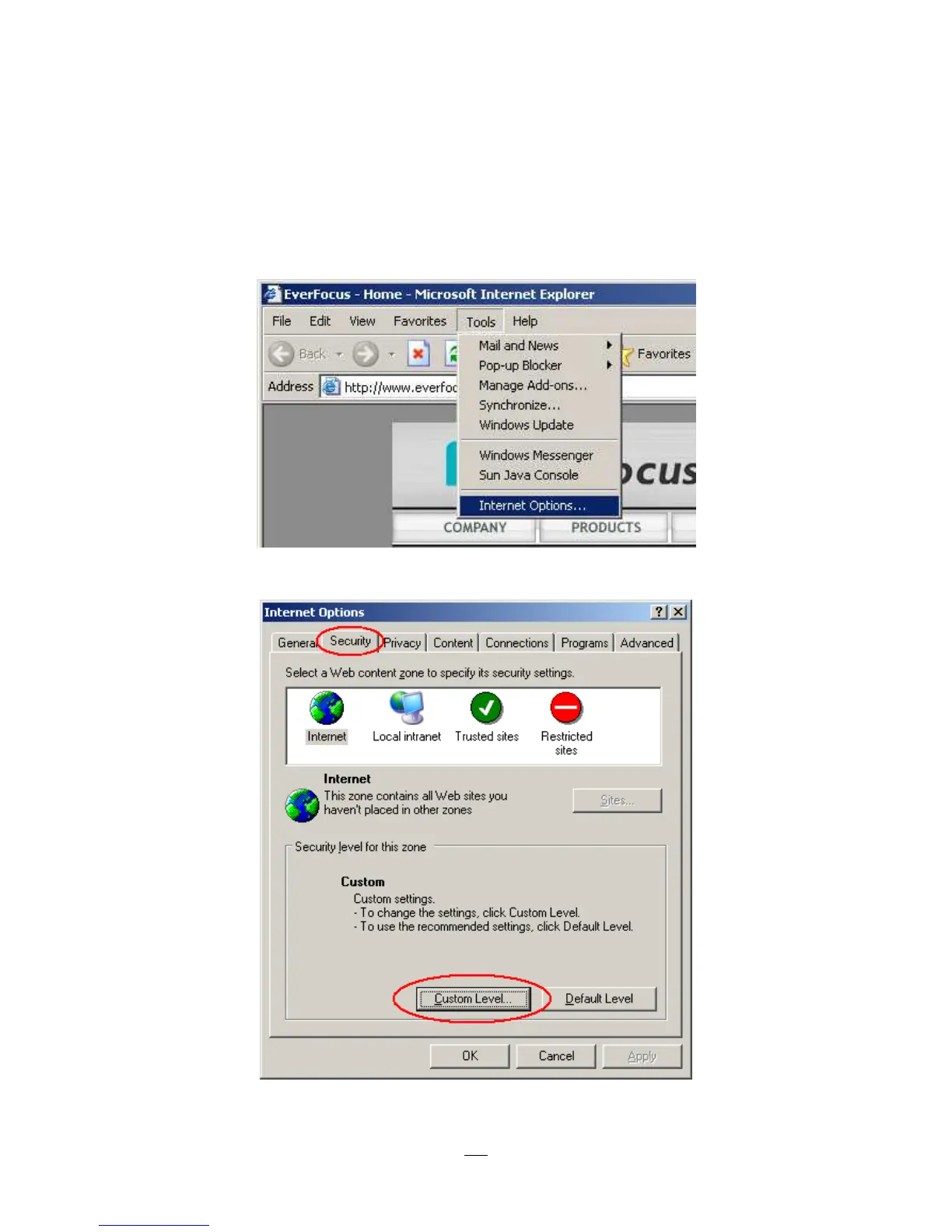
At the top of the Internet Explorer Window, click on Tools, then select Internet Options.
Click the Security tab at the top of the window, then choose Custom Level near the bottom.



 To Next Page