102
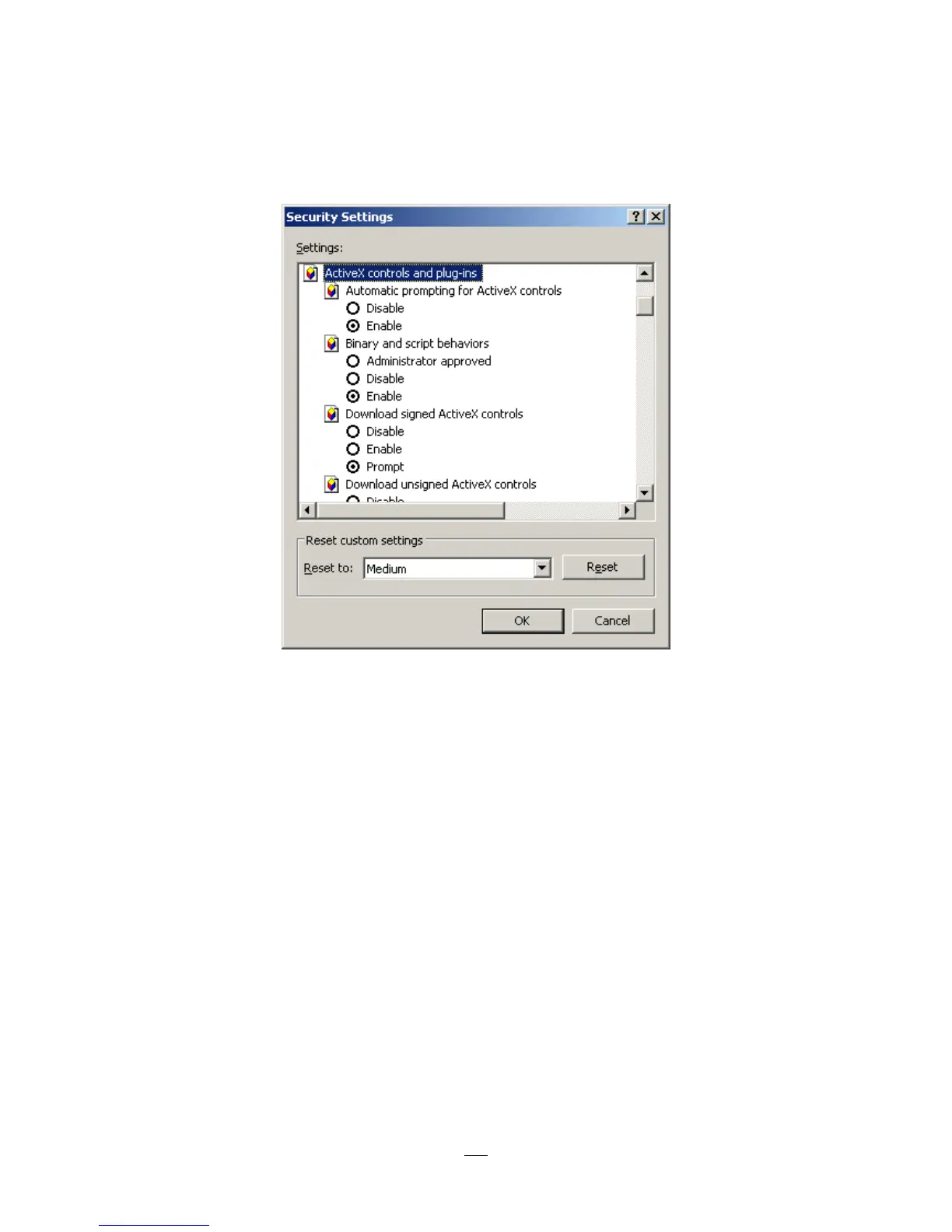
In the Security Settings window, scroll to “ActiveX controls and plug-ins”
Set the controls as follows:
“Enable”:
Allow previously unused ActiveX controls to run without prompt (Internet Explorer 7 only)
Allow scriptlets (IE7 only)
Automatic prompting for ActiveX controls
Binary and script behaviors
Display video and animation on a webpage that does not use external media player (IE7 only)
Run ActiveX controls and plug-ins
Script ActiveX controls marked safe for scripting
“Prompt”:
Download signed ActiveX controls
Download unsigned ActiveX controls
“Disable”:
Initialize and script ActiveX controls not marked as safe
Click OK and then choose Yes to change the security settings.





 To Next Page