EDN850H
10
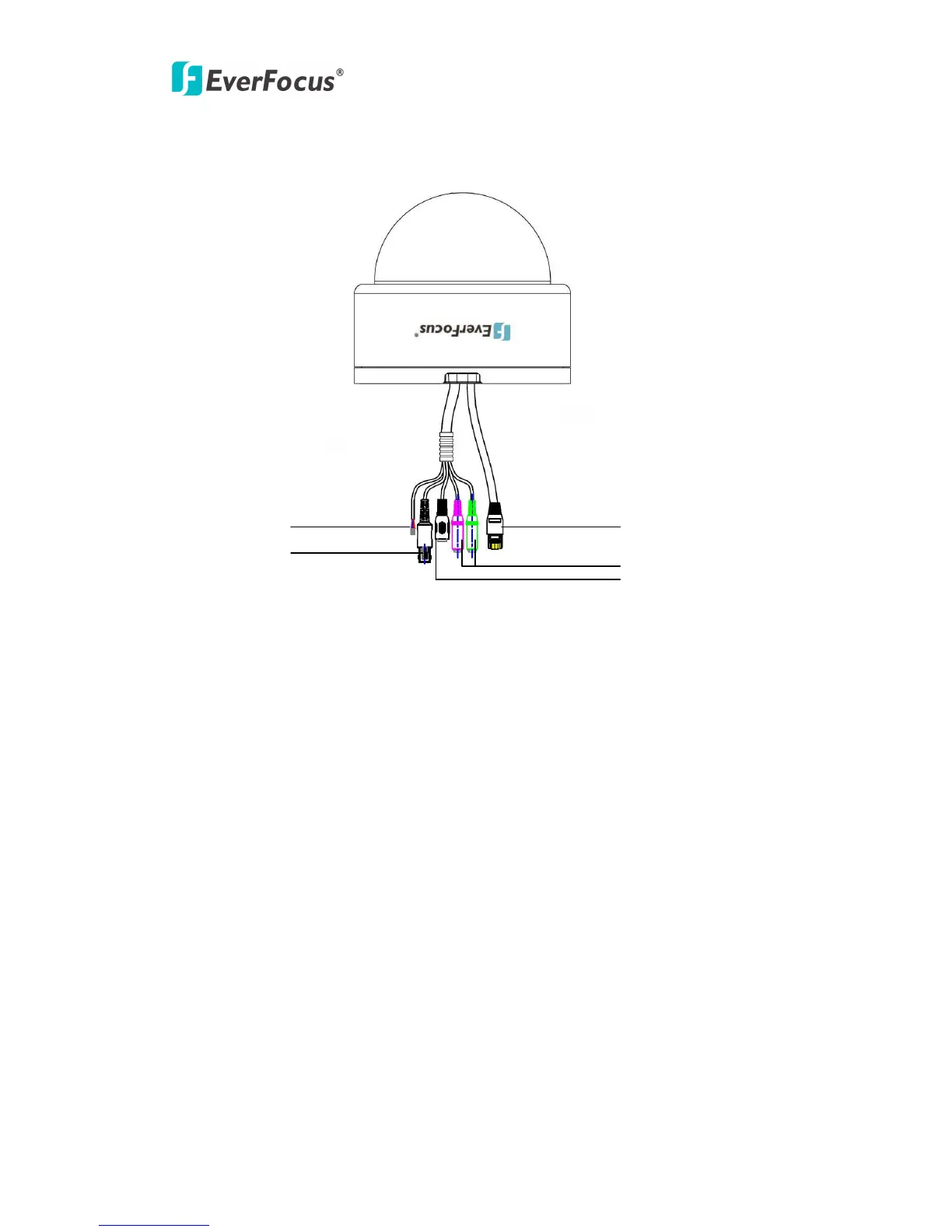
2. Connecting the Cables
○
1
Network cable: Connect to LAN via this standard RJ-45 connector.
Optional: This socket can also be used to power via PoE (Power over Ethernet)
○
2
Audio cable: For connecting to Audio In/Out device.
Green: Audio Out- it can be connected to an active speaker with a built-in
amplifier or a pair of headphones. A 3.5mm audio connector must be used for the
audio out.
Red: Audio In- 3.5mm stereo socket for line-in signal
○
3
Power 12VDC: Connect with power adaptor.
○
4
Video cable: Loop through connection to the video signal from the Video In
connector. It is terminated with a coaxial/BNC connector.
○
5
Alarm I/O cable: For connecting to Alarm In/Out device.
Purple:Alarm Out+
White:Alarm Out-
Gray:Alarm In
Pink:Alarm GND
○
1


 To Next Page