EDN850H
17
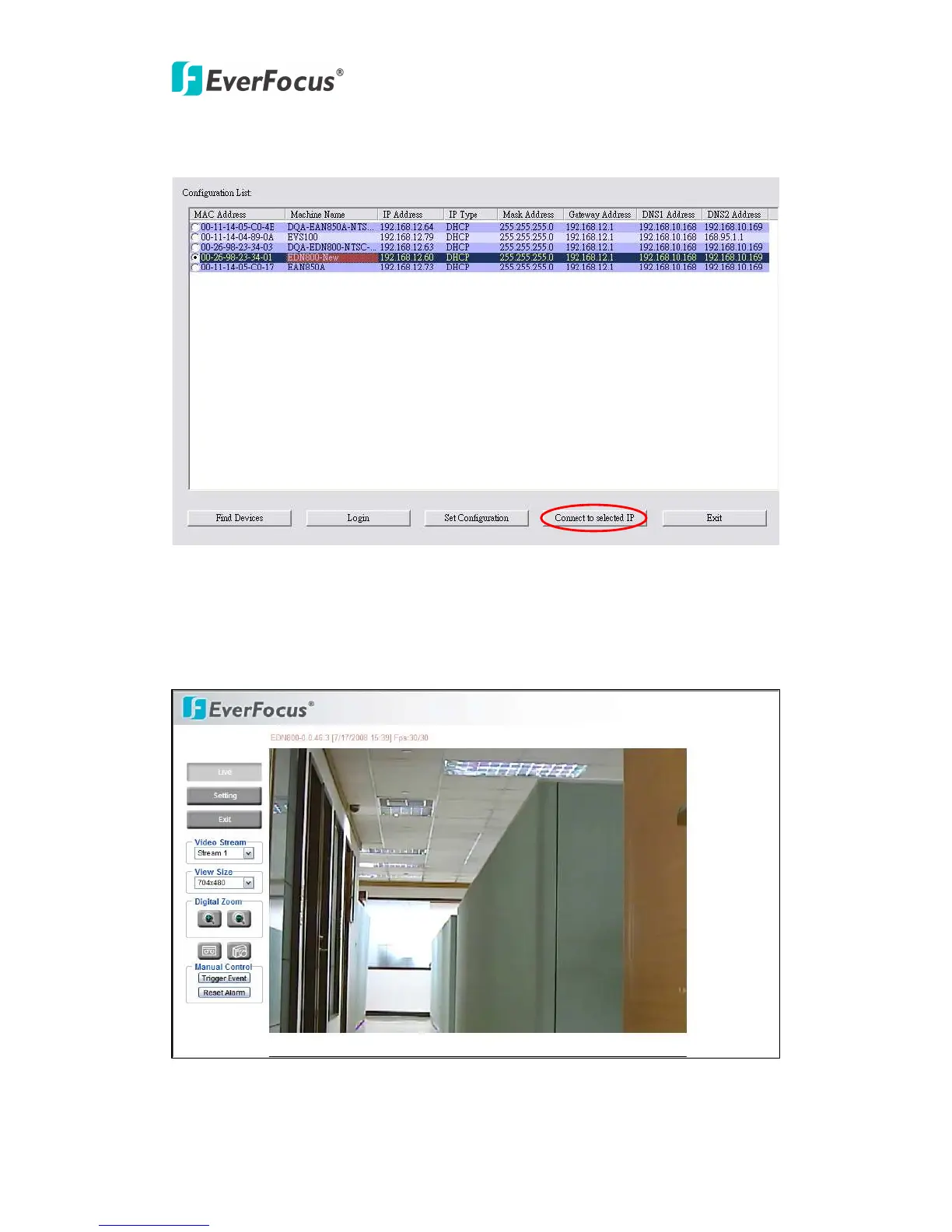
6. Click “Connect to selected IP” and the browser will automatically connect to the
EDN850H network page.
7. You will be asked to enter User ID and Password first.
Note: Default user name is “user1” and default password is “11111111”.
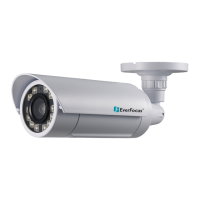
8. Now, you will be lead to the live view page of EDN850H.
9. Exit: Close IP Utility window to finish your setting.


 To Next Page