3. WiFi Module Installation
Except for EMV400S FHD, the way to install WiFi module onto all the Mobile
DVRs is the same.
Note: EMV400S FHD does not feature an I/O board inside the Mobile DVR. We
will introduce how to install WiFi module onto EMV400S FHD separately.
Please refer to 4. WiFi Module Installation on EMV400S FHD.
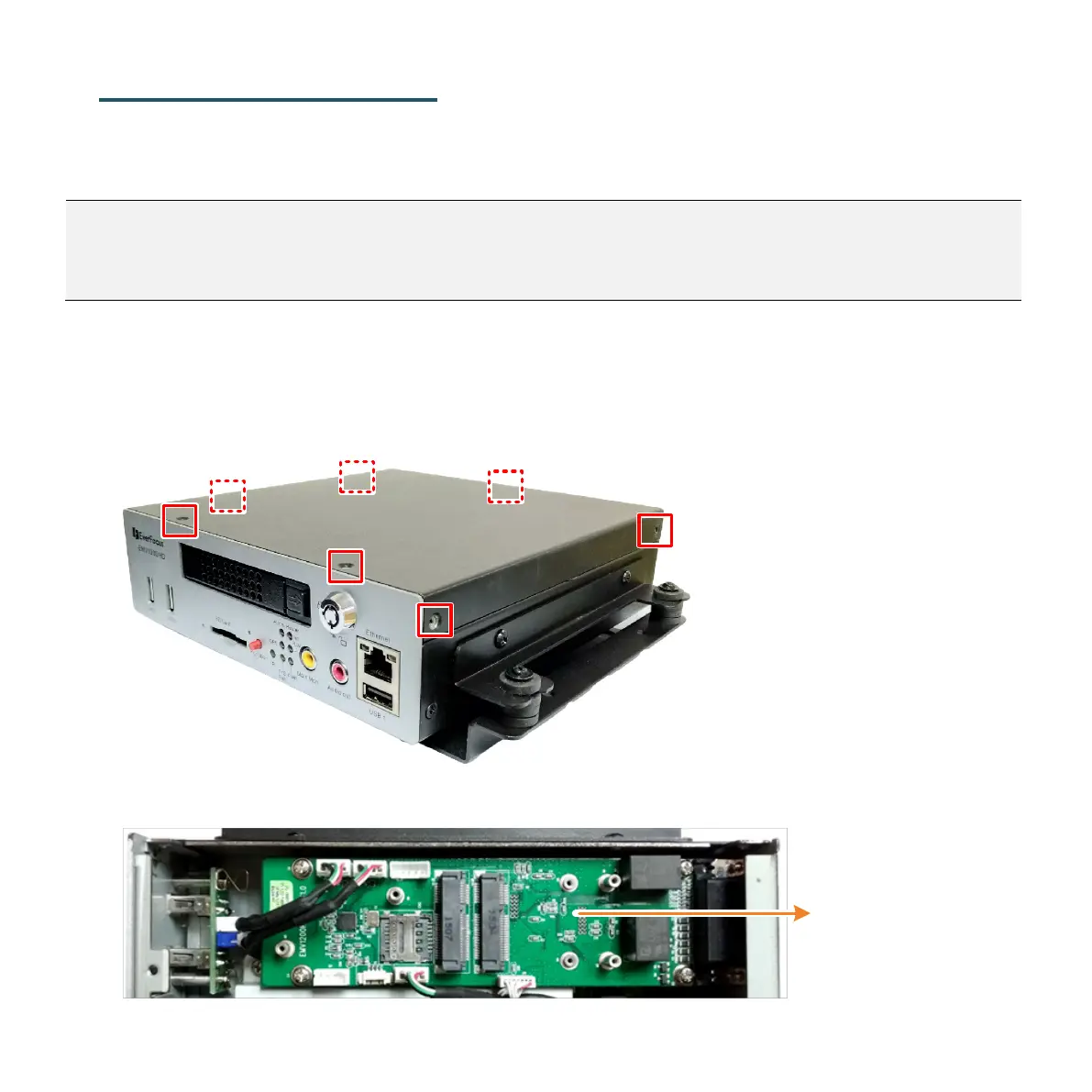
Here we take EMV1200 HD as an example:
1. Remove the housing cover from the mobile DVR.
To remove the cover, unscrew the 7 screws (front/rear/left/right-side).
2. Find the I/O board inside the mobile DVR.



 To Next Page