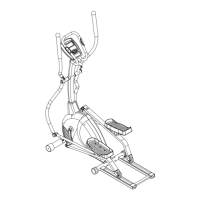
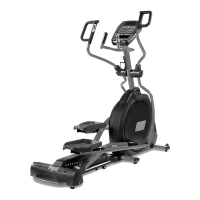
Assembly instructions
STEP 1: CONSOLE MAST ASSEMBLY
1. Locate the Console Mast (12) and Console Mast Cover (41) and slide the Cover onto the
Mast as far as it will go. Make sure the Console Mast Cover is facing the correct way.
2. At the top opening of the Main Frame of the elliptical is a Computer Cable. Unravel and
straighten out the Computer Cable (31) and feed it into the bottom of the console mast
tube and out of the top opening.
3. Install the Console Mast into the receiving bracket in the top of the Main Frame. NOTE:
there is one bolt already installed in the receiving bracket that will engage with the slot at
the bottom of the Console Mast. This needs to be tightened at the end along with the
three other console mast bolts.
4. Put one 3/8"×2T Split Washer (96) onto the 3/8"×2-1/4" Long Hex Head Bolt (60), and the
two 3/8"×23 Curved Washers (84) onto the two 3/8"×3/4" Short Hex Head Bolts (103).
Install, and hand tighten, the Long Hex Head Bolt through the left side of the receiving
bracket into the Console Mast.
5. NOTE: There is an electrical wire running through the Console Mast Tube. Be careful not
to damage or pinch this Computer Cable during this procedure. Damage to the Console
could result. Install, and hand tighten, the two Short Hex Head bolts through the front of
the receiving bracket into the Console Mast.
6. Using the 13/14m/m Wrench (106) tighten the three bolts and the fourth bolt, which is
pre-installed, firmly. These bolts should be tightened as much as you possibly can.
7. There will be three electrical wire connectors at the top opening of the console mast, two
2 pin connectors (hand pulse sensors)(36) and one 10 pin connector (main wire
harness)(31). Connect these to the mating connectors on the back of the electronic
Console (30). The connectors are keyed, you cannot plug them in the wrong way so do
not force them. The two, 2 pin connectors can be plugged into either connector on the
back of the console.
8. Storing the excess wire back into the Console Mast, carefully install the Console onto the
mounting plate of Console Mast and secure using the four M5 × 10m/m Phillips Head
Screws(66). Make sure the wires do not get pinched between the console and mounting
plate.


 To Next Page