16
ENGLISH
9.2.7 HARD TIME-BASED CHILLING and subsequent storage
In order to select a time-based chilling cycle, you just need to make sure not to insert the core
probe.
The Soft time-based and storage cycle consists in three phases:
► 1st phase: Hard chilling cycle (60% of the whole duration of the cycle; Room temp. setpoint -20°C)
► 2nd phase: Soft chilling cycle (40% of the whole duration of the cycle; Room temp. setpoint -0°C)
► 3nd phase: Storage cycle (Room temp. setpoint: 2°C)
After completing a phase, the blast chiller automatically switches to the next one.
- Make sure the core probe is not inserted
- Make sure the blast chiller is in “ON/STAND-BY” mode, that the keyboard is not locked (chapter
11) and that no procedures are being carried out.
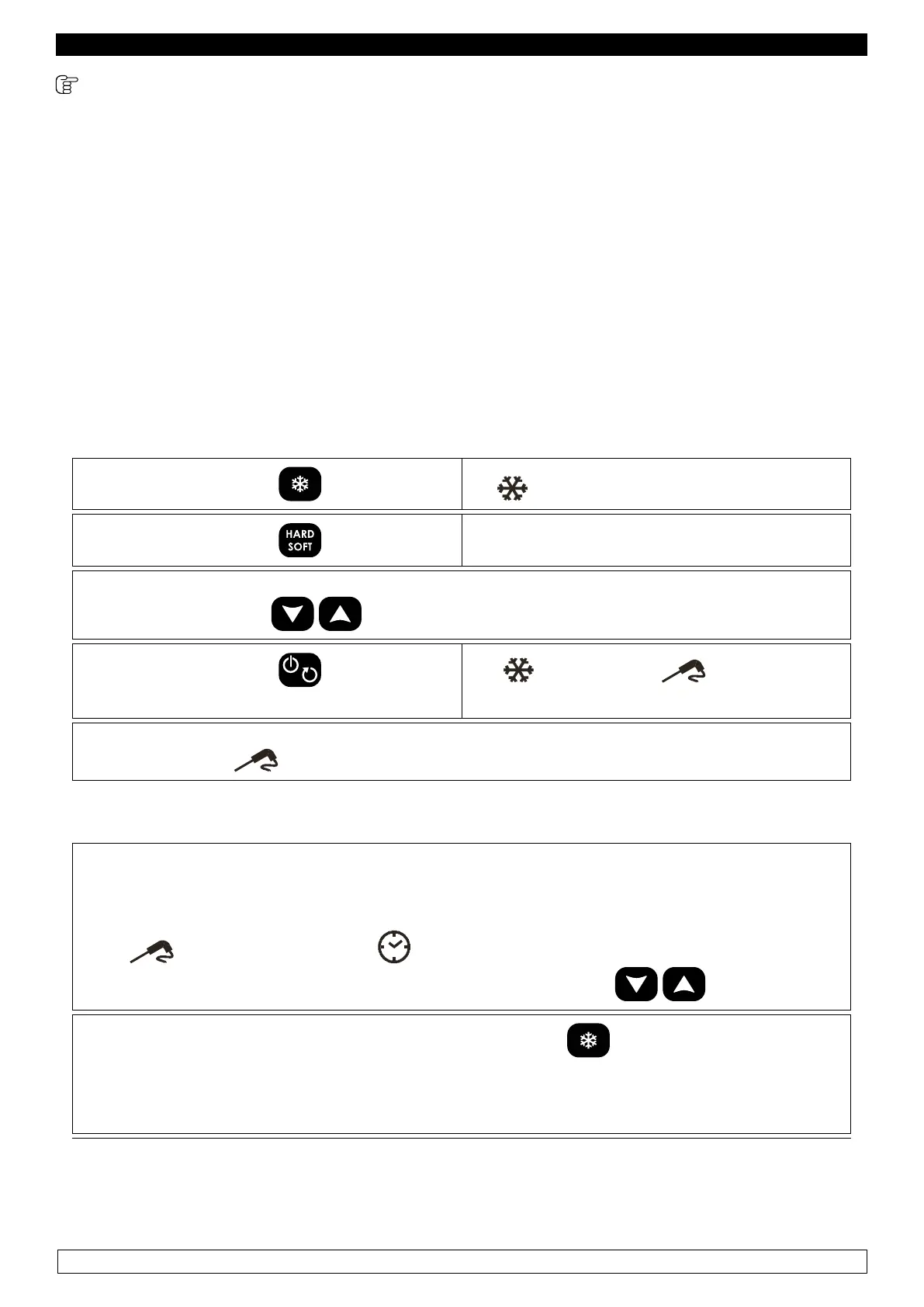
► Press and release the key: the icon starts ashing
► Press and release the key the HARD icon starts ashing
The display shows the working setpoint during the chilling.
It is possible to use the
keys to modify this value
► Press and release the key within 20
seconds:
The
,HARD and icon remain on
and the cycle starts
► The control board carries out a one-minute test, to make sure the core probe has been cor-
rectly inserted, the
icon ashes during the whole test, and turns off at the end of it.
If the core probe has not been correctly inserted, the acoustic buzzer warns us 3 times (each
10 seconds). There is no need to press any keys, a time-based cycle will automatically begin.
► During the chilling, the display shows the time remaining before the end of the cycle.
► The ’icon turns off, while the and min icons remain on.
► It is possible to modify the duration of the cycle by pressing the keys.
► To display the room’s temperature, press and release the key.
► To restore the standard display mode, press and release the same key or do not operate
for 15 seconds.


 To Next Page
 Loading...