8
Eversense 365 CGM System Quick Reference Guide
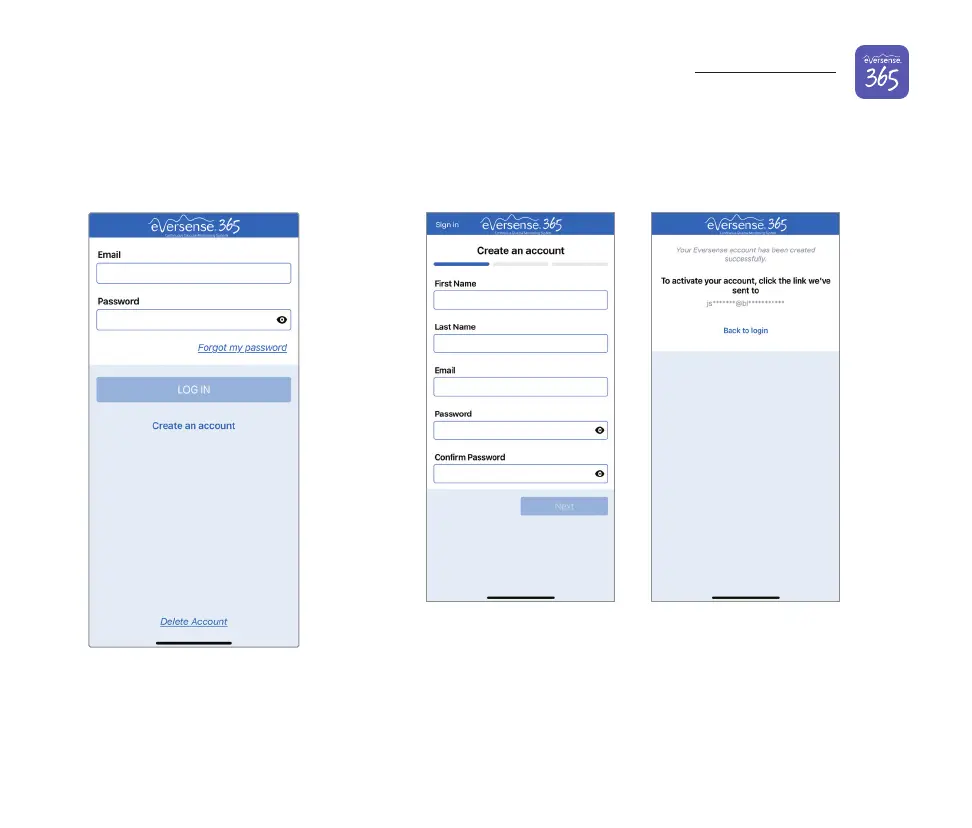
1. Tap Create an account
to create your Eversense
account.
2. Enter your account information and then tap Submit.
• To activate your Eversense account, click the link in the
email sent from donotreply@eversensediabetes.com.
Launch the App by Tapping the Eversense 365 Icon
Note: If you have not received the confirmation email with
the link to activate your account within a few minutes, check
your spam folder. After clicking the link in the email, the app
will display that the account was successfully activated.
• Tap Back to login to continue.



 To Next Page