32
Eversense 365 CGM System Quick Reference Guide
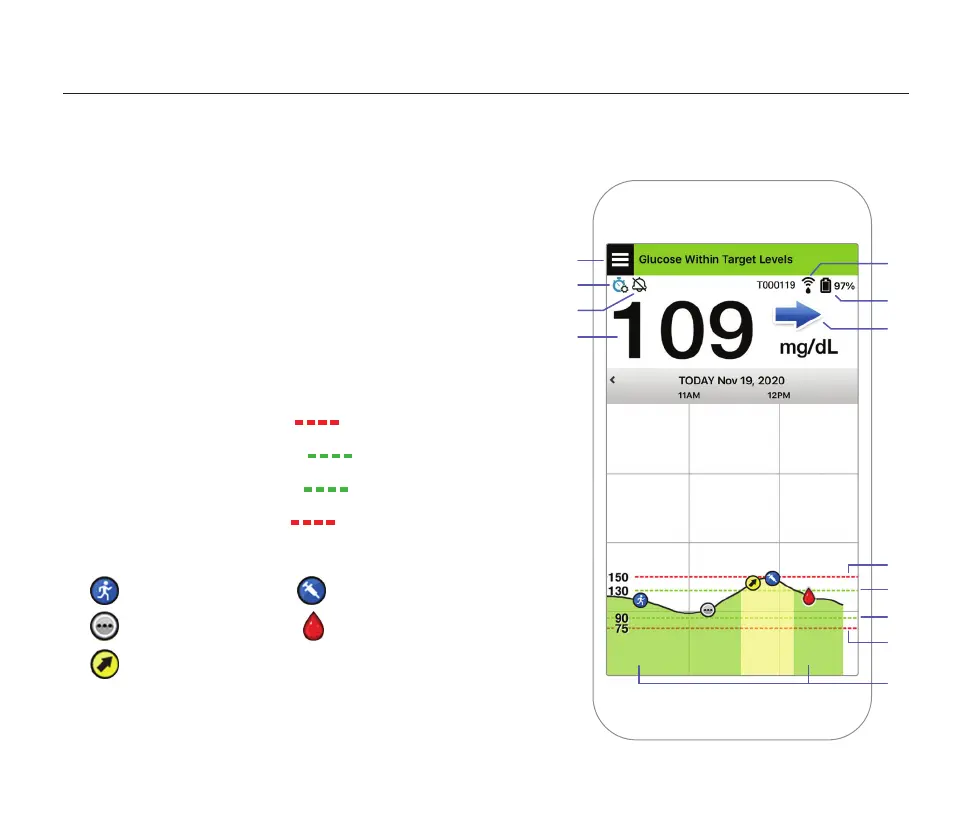
The MY GLUCOSE screen will display your glucose data once your sensor has been inserted
and you have started calibrating the system.
Menu icon (see next page)
Temp Profile icon
Do Not Disturb icon
Current glucose reading
Transmitter connection to sensor and/or app
Transmitter % battery life
Trend arrow
High glucose alert level
High glucose target level
Low glucose target level
Low glucose alert level
Event Log icon
Exercise
Multiple Event
Predicted High
Glucose Alert
Insulin
Calibration
Using the App



 To Next Page