18
Eversense 365 CGM System Quick Reference Guide
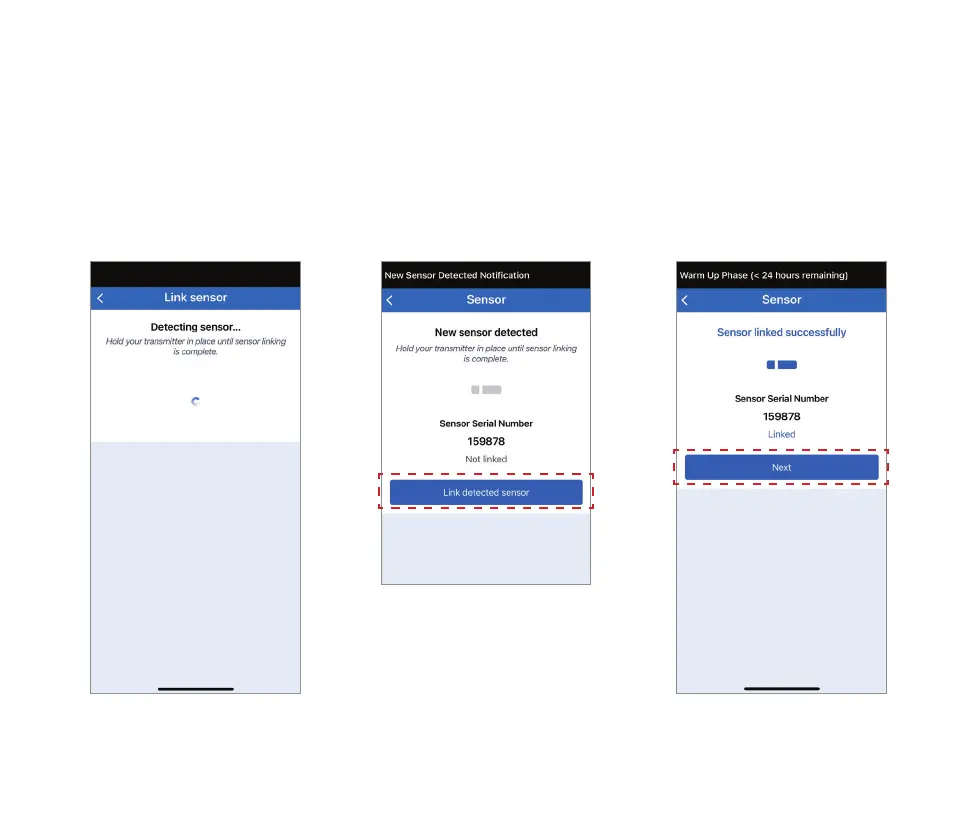
1. The app will display
Detecting sensor. During
this time, continue to hold
your transmitter in place.
3. Tap Next.2. When the New sensor
detected screen is
displayed, tap Link
detected sensor.
Link Detected Sensor
After establishing the signal using the Placement Guide, you can now link the sensor.
The linking process will begin.
DO NOT remove the smart
transmitter from your insertion
site until the progress bar is
completed and Sensor linked
successfully is displayed.



 To Next Page