34
Eversense 365 CGM System Quick Reference Guide
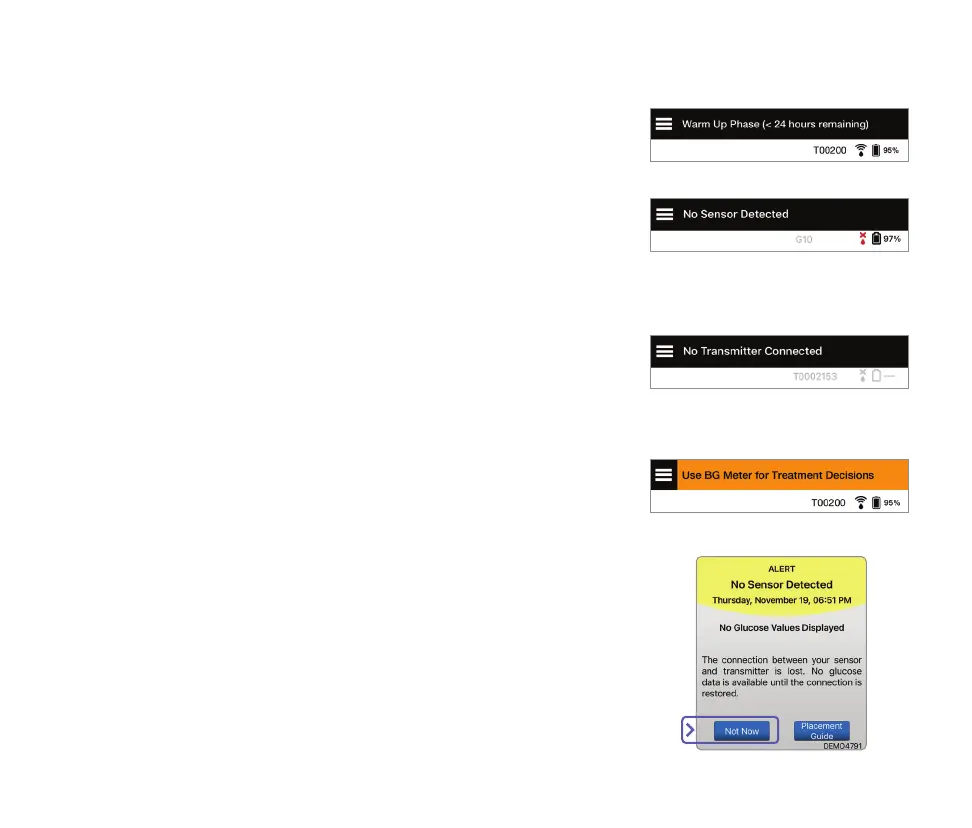
App Status Bar
• Warm-up Phase – applies after linking the smart transmitter
and sensor for the first time.
Transmitter powered on
but not over the sensor
Transmitter powered o
Tip: A “No Sensor Detected” alert may pop-up in your app.
This will happen if your smart transmitter is powered on,
but not on your arm. Clear the alert by tapping Not Now.
• No Sensor Detected – will appear any time you remove the
smart transmitter from over your sensor.
• No Transmitter Connected – will appear if the smart
transmitter is turned o, being charged, or out of range of
your mobile device.
• Use BG Meter for Treatment Decisions – will appear when
you should take a confirmatory fingerstick check before
making a treatment decision.



 To Next Page