3
Eversense 365 CGM System Quick Reference Guide
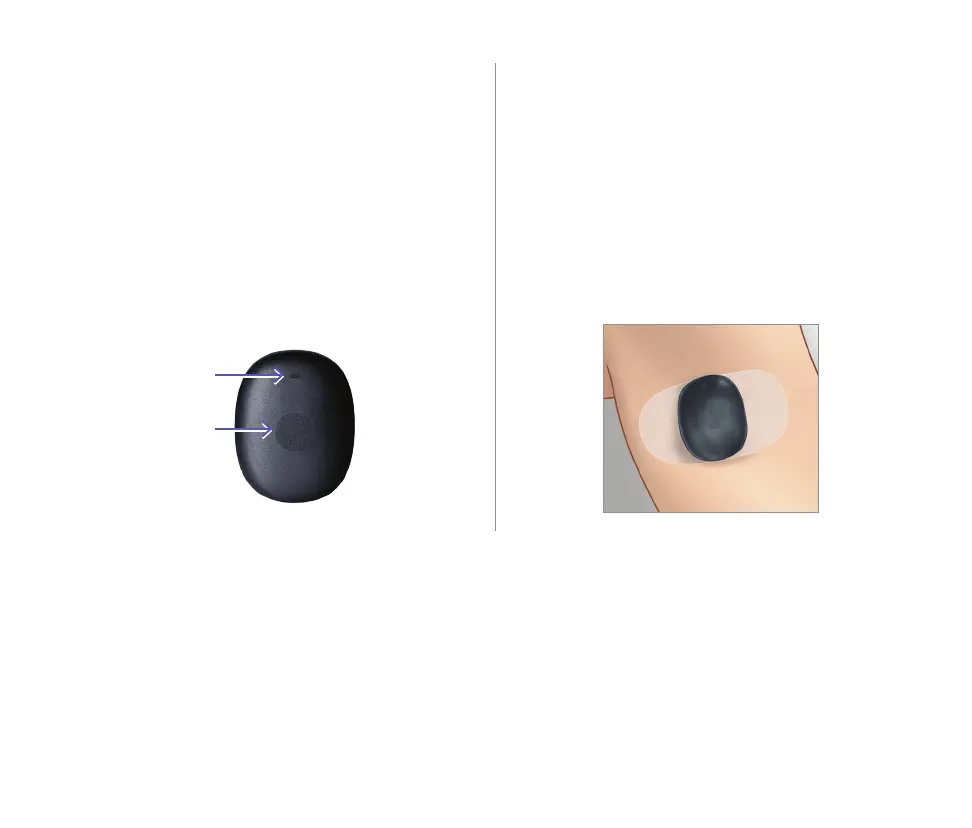
Soft-touch button
LED indicator
(lights green
or orange)
Top
Eversense 365 Smart Transmitter
Your rechargeable smart transmitter
powers the sensor, calculates glucose
readings, and stores and sends data to the
app. It also provides on-body vibe alerts.
The smart transmitter is secured to your
skin with a disposable adhesive patch that
is changed daily.
Turn the Smart Transmitter ON and OFF
To turn the smart transmitter ON, touch and hold the soft-touch button for about three seconds.
To turn the smart transmitter OFF, touch and hold the soft-touch button for about five seconds.
To see if your smart transmitter is ON, tap the soft-touch button once. If the LED appears, the
smart transmitter is ON. If no LED appears, the smart transmitter is OFF.
Wearing the Smart Transmitter
• Replace the adhesive patch on your smart
transmitter daily.
• The smart transmitter can be removed
and reapplied to the skin at any time.
Note: Your smart transmitter is water
resistant (IP67) to a depth of 1 meter
(3.2 feet) for up to 30 minutes.



 To Next Page