19
Eversense E3 CGM Quick Reference Guide
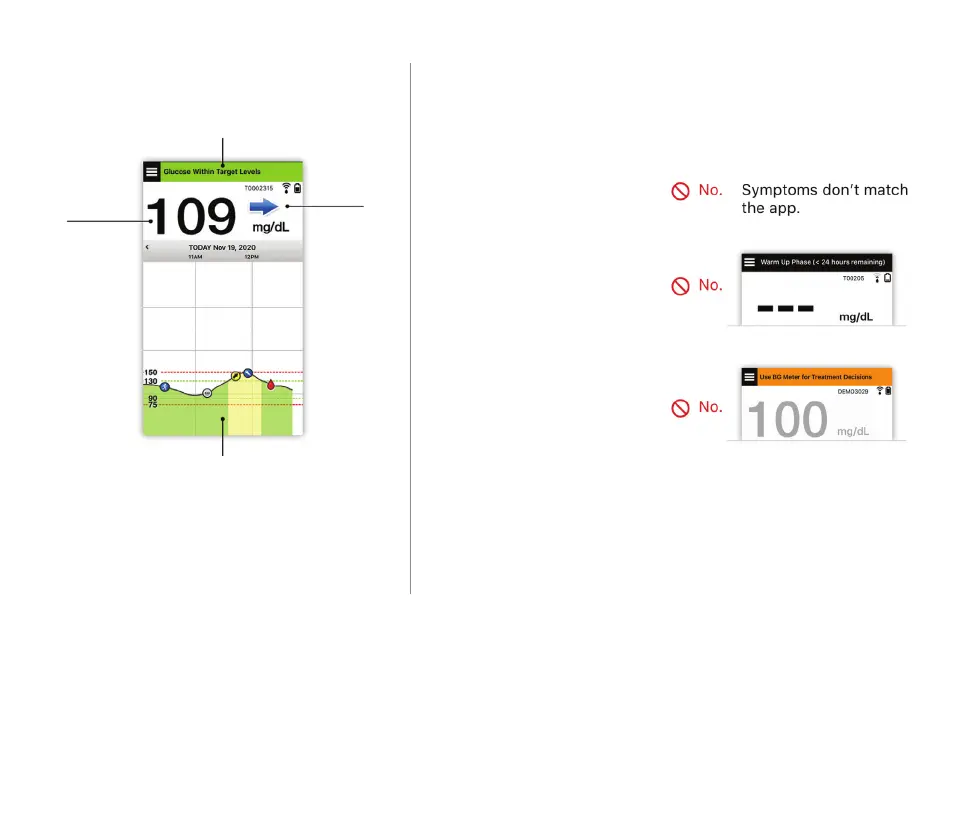
Use all available CGM information
Status bar
Glucose
value
Trend
arrow
Recent trend information
and alerts
When to use your blood glucose meter
• Your symptoms
do not match your
sensor glucose value.
• No glucose data
or trend arrow is
displayed.
• “Use BG Meter
for Treatment
Decisions” appears
on the status bar of
your My Glucose
home screen.
• You are currently
taking a medication of
the tetracycline class.
Do not make a treatment decision from your
Eversense E3 CGM System if:
Additional resource: Eversense E3 CGM System User Guide: Using the App.



 To Next Page