Page 24
HIGH FIDELITY MUSIC STREAMER
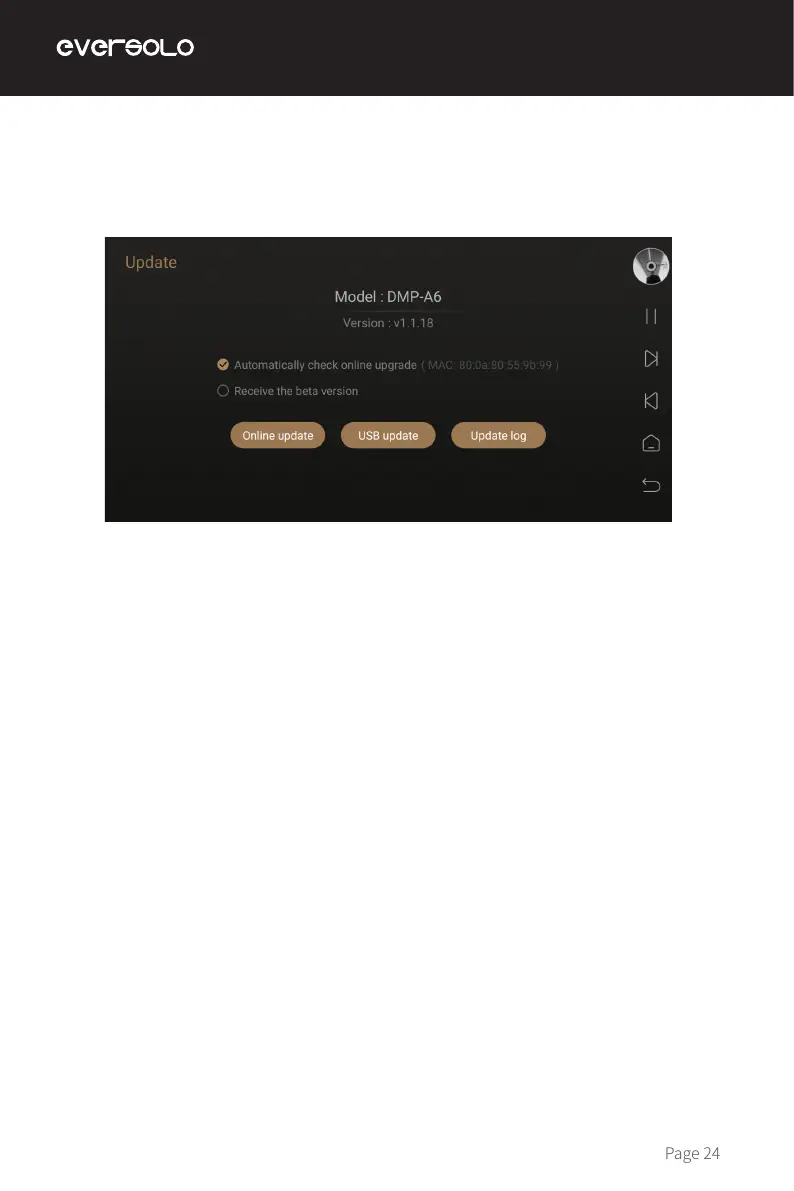
Access "Settings > About > Version", online update and USB update are supported.
Online Update
After connecting with network, access "Settings > About > Version", click "Online Update"
to get the newest rmware, nishing rmware update by following popup tips and wait the
device to reboot automatically.
USB Update
Download Eversolo DMP-A6 rmware to a USB stick, insert USB stick into the USB-A type port
on the device, access "Settings > About > Version", click "USB Update" to update rmware
and wait for the device to reboot automatically.
Notes:
* Don't remove the USB stick or power o during the upgrade process.
* It is recommended to use a FAT32 format USB stick.
* There is no need to unzip the downloaded le package.
System Upgrade


 To Next Page